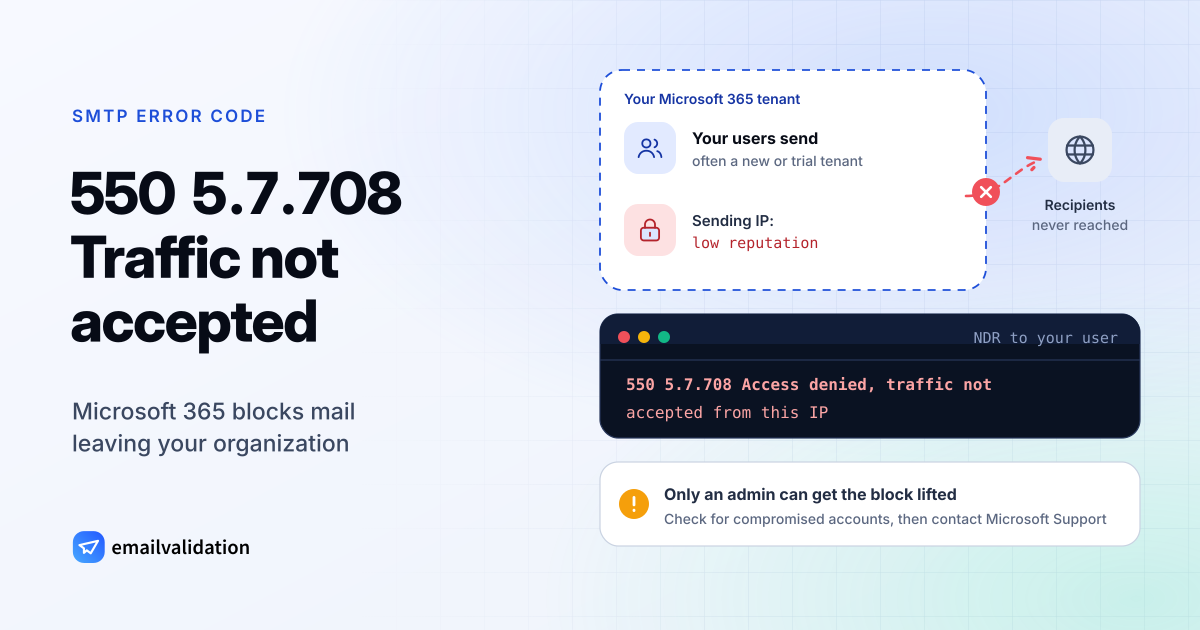
What 550 5.7.708 means
A 550 5.7.708 bounce means Microsoft 365 blocked mail leaving your organization. The NDR reads:
550 5.7.708 Access denied, traffic not accepted from this IP
Microsoft explains it in its article on NDR codes 5.7.703 to 5.7.750: “This NDR is generated if you send an email message from an IP address that has a low reputation. The issue is more likely to affect new customers, such as those who have a Microsoft 365 trial subscription.” Its NDR reference adds the wider context it shares with 5.7.705: “Most of the traffic from this tenant is detected as suspicious. Therefore, a ban is put on the sending ability of the tenant.”
Two things make this code unusual. It’s outbound: the refusal comes from your own email system, not from the recipient’s. And it’s Microsoft’s own number: the IANA registry of enhanced codes ends at X.7.30.
The 5.7.7xx family at Microsoft 365
Microsoft covers 5.7.708 in one article with three related codes:
| Code | NDR text | Why |
|---|---|---|
5.7.703 | Your message can't be delivered because messages to <recipients> are blocked by your organization using Tenant Allow Block List. | Your admin blocked that address or domain |
5.7.705 | Access denied, tenant has exceeded threshold | Too much spam or bulk mail; often a compromised on-premises server or admin account |
5.7.708 | Access denied, traffic not accepted from this IP | Low IP reputation, mostly new or trial tenants |
5.7.750 | Client blocked from sending from unregistered domain | Large volumes sent from a domain that isn’t an accepted domain |
For a single account rather than the whole tenant, Microsoft uses 5.1.8 with “Access denied, bad outbound sender”: “The account was blocked for sending too much spam. Typically, this problem occurs because the account was compromised (hacked) by phishing or malware.”
What causes 550 5.7.708
- A new or trial tenant. As quoted above, Microsoft sees this mostly with new customers, such as trial subscriptions.
- Suspicious traffic from the tenant. Spam from compromised accounts, a misused connector, or an on-premises server that relays mail for anyone. Microsoft’s NDR reference says to make sure “that any compromises or open relays were resolved” before asking for help.
- Spam or bulk mail. For the related 5.7.705, Microsoft writes: “If your organization sends too much spam or bulk mail, Exchange Online blocks your outgoing mail.”
How to fix 550 5.7.708
If you’re a user: forward the NDR to your IT admin. Microsoft: “Only an email admin in your organization can fix this issue.”
If you’re the admin:
- Look for compromised accounts. Check sign-in logs, unexpected inbox rules and forwarding, and recently created connectors. Microsoft’s guide to responding to a compromised account has the steps. Turn on multifactor authentication.
- Close open relays. If an on-premises server or device sends through a connector, make sure it only accepts mail from your own systems.
- Trial tenant? Microsoft: “contact Microsoft Support to request an IP address exception until you assign Exchange Online licenses.”
- Otherwise, contact Microsoft Support through your usual channel once the cause is fixed, and ask for the block to be removed.
- Move bulk mail elsewhere. Newsletters and campaigns belong in an email service built for them, with their own sending domain setup, not in staff mailboxes.
Also check that every domain you send from is added and verified in Microsoft 365: large volumes from unregistered domains trigger the related 5.7.750 block. Our Microsoft 365 SMTP settings page has the connection details for devices and apps.
Other Microsoft 365 blocks you might confuse it with
- 550 5.7.509: the recipient’s Microsoft 365 rejected your mail because your domain fails DMARC.
- 550 5.7.520: your organization doesn’t allow automatic forwarding to outside addresses.
- 5.7.1 with “blocked using Blocklist”: the receiving side blocked your sending IP.
The list of SMTP error codes has the full set, and SMTP error 550 explains how to read any 550 bounce.
Would email verification have prevented it?
No. 550 5.7.708 blocks your organization’s outgoing mail regardless of who it’s addressed to. Once the block is lifted, sending reputation is what keeps it from coming back; the email deliverability guide covers the practices that build it.