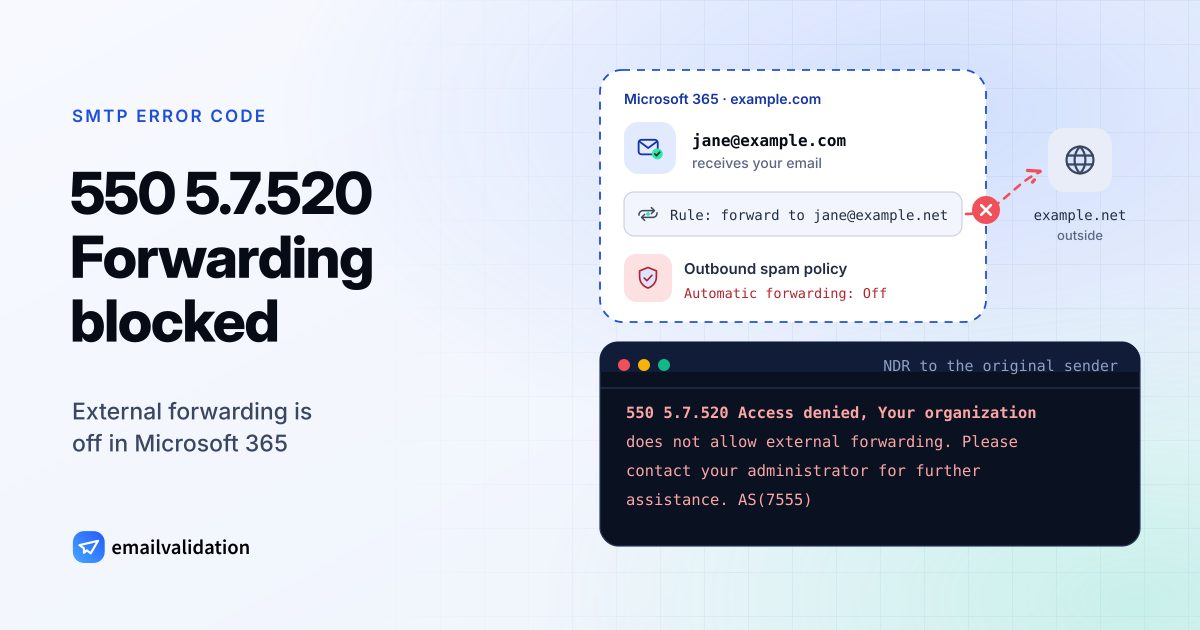
What 550 5.7.520 means
The full 550 5.7.520 bounce reads:
550 5.7.520 Access denied, Your organization does not allow external forwarding. Please contact your administrator for further assistance. AS(7555)
Microsoft documents the text after the code in its NDR reference and in the article Control external email forwarding and fix 5.7.520 errors. In a bounce message it appears with the 550 in front. Like every 550 error, it is permanent: the forwarded copy is not delivered. Microsoft explains the trigger: “When Exchange Online detects that a message is forwarded automatically, and an outbound spam filter policy blocks the forwarding activity, the message is restricted and this NDR is sent to the sender.”
The policy covers three kinds of automatic forwarding:
- Inbox rules that users create to forward or redirect messages to outside addresses.
- Mailbox forwarding (also called SMTP forwarding) that admins set on a mailbox.
- Forwarding from on-premises mailboxes whose mail flows out through Microsoft 365.
Forwarding between people inside the organization isn’t affected, and neither is a user manually forwarding a message. Other X.7 codes you may get from Microsoft 365 are 550 5.7.509 for a DMARC reject and the generic 5.7.1 status code.
Why Microsoft 365 blocks it
Automatic forwarding is also what an attacker sets up in a hijacked mailbox, to keep receiving copies of its mail. Microsoft’s article says Inbox rules forward externally either “deliberately or as a result of a compromised account”. So the outbound spam policy has three settings for it:
| Setting | Effect |
|---|---|
| Automatic - System‑controlled | The default. Since 2021 it equals Off for new organizations and those that weren’t actively using it |
| On - Forwarding is enabled | External automatic forwarding is allowed |
| Off - Forwarding is disabled | External automatic forwarding is blocked, and senders get an NDR |
Microsoft recommends choosing On or Off explicitly, “because the behavior can differ by organization”. Turning forwarding off also disables existing Inbox rules and mailbox forwarding that point outside the organization.
When you typically see it
- A shared address forwards to a helpdesk or ticketing tool. Zendesk, for example, has documented exactly this case: a support address in Microsoft 365 that forwards to Zendesk.
- Someone forwards work mail to a personal mailbox. This is the case most policies are designed to stop.
- A new tenant. Forwarding that worked in an old system is off by default in the new one.
- A forwarding rule you didn’t create. Treat that as a possible compromise.
How to fix 550 5.7.520
As a user: ask your admin. Name the external address and the reason. Don’t work around the block with other tools; the policy is there on purpose.
As an admin in Microsoft Defender (configure outbound spam policies):
- Decide who really needs to forward. Often it’s one shared mailbox, not the whole company.
- Create a custom outbound spam policy. Apply it to those users, groups or domains, and set its automatic forwarding rules to On - Forwarding is enabled. Microsoft: custom policies are applied in priority order, the default policy always comes last, and “outbound spam protection stops for a sender after the first policy is applied”.
- Limit the destinations if you want. Remote domains can allow forwarding only to specific outside domains. Where settings conflict, Microsoft notes that “the block typically wins”.
- Watch the result. The Auto forwarded messages report lists the users who forward externally.
- Remove unwanted forwarding. If the rule wasn’t wanted, remove it, reset the account’s password, check its sign-ins and turn on multifactor authentication.
Would email verification have prevented it?
No. The bounce has nothing to do with whether the target address exists; it’s a decision of the forwarding organization’s policy. If you get this bounce after writing to someone, their organization stopped an automatic forward of your message; ask the recipient whether the original arrived. For the bounces that verification does catch, see the list of SMTP error codes or the guide to MAILER-DAEMON messages.