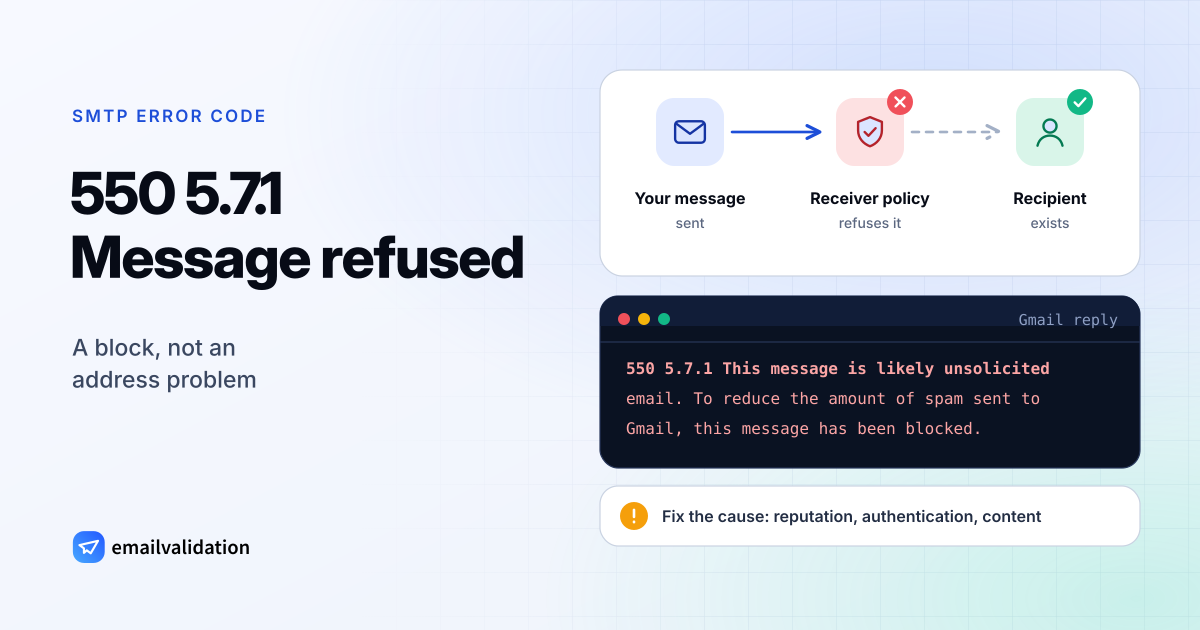
What 550 5.7.1 means
A 550 5.7.1 reply combines two codes. RFC 5321 defines 550 as “requested action not taken: mailbox unavailable”, and lists “command rejected for policy reasons” as one of its examples. RFC 3463 defines 5.7.1 as “delivery not authorized, message refused”: “The sender is not authorized to send to the destination. This can be the result of per-host or per-recipient filtering.”
So the server knows the recipient but won’t take mail from you. That makes it a block: deleting the address won’t help, and resending the same message from the same setup fails again. The same status code also comes with 554 and 451 in front; the explainer on the 5.7.1 status code covers all variants.
550 5.7.1 messages at Gmail and Microsoft 365
Gmail uses 550 5.7.1 for more than a dozen different reasons. These are short excerpts from Google’s list of Gmail SMTP errors:
Text after 550 5.7.1 | What triggered it |
|---|---|
The user or domain that you are sending to (or from) has a policy that prohibits the email that you sent. | A rule set by the recipient’s (or your own) Google Workspace organization |
This message is likely unsolicited email. To reduce the amount of spam sent to Gmail, this message has been blocked. | Gmail’s spam filter |
This message is likely suspicious due to the very low reputation of the sending IP address. | Reputation of your IP (a second text names the sending domain) |
The IP you're using to send email is not authorized to send email directly to our servers. | Mail sent straight from an IP that shouldn’t deliver directly; Google says to use your provider’s SMTP relay |
Messages missing a valid Message-ID: header are not accepted. | A malformed message; other texts name duplicate headers or several From addresses |
This message does not meet IPv6 sending guidelines regarding PTR records and authentication. | Sending over IPv6 without reverse DNS or authentication |
At Microsoft 365, the NDR reference lists Delivery not authorized for 5.7.1: you aren’t allowed to send to that recipient, typically a restricted distribution group or a mail flow rule. Microsoft’s 5.7.1 article adds the other causes: you may lack permission to send through a server between you and the recipient, or your message went to the wrong server. And when a domain’s DMARC policy is p=reject, Microsoft’s DMARC documentation shows the rejection as 550 5.7.1 with dmarc=fail action=oreject in the headers.
Why mail gets a 550 5.7.1
- Spam filtering. Content, links, sending volume or complaints made the filter decide against you.
- Reputation. Your IP address or domain has a poor record, often because of a past campaign, a hacked account or a shared IP that others abuse.
- Authentication. Neither SPF nor DKIM passes for your From domain, or a DMARC policy of reject was enforced. The SPF record guide and what is a DMARC record explain the mechanics.
- A malformed message. Gmail refuses mail that breaks RFC 5322 header rules. This hits homemade scripts and old mail libraries more than email services.
- Sending from the wrong place. An app or server delivers straight to Gmail from an address that isn’t meant to send mail.
- The recipient’s rules. A group that accepts mail only from members, a mailbox that rejects outside senders, a mail flow rule, a blocklist the organization maintains itself.
How to fix 550 5.7.1 as the sender
- Read the whole reply. Gmail’s text after the code names the reason, and Microsoft NDRs name the restricted group. Match it against the table above.
- Check authentication. Run your domain through the SPF checker, DKIM checker and DMARC checker. Every service that sends as your domain needs to pass. The Gmail and Yahoo sender requirements list what large mailbox providers expect.
- Check reputation and content. Look up your sending IP on blocklists, stop campaigns that cause complaints, and test a copy with the email spam checker.
- Check the message itself. If it comes from your own code, use one From address, one Message-ID, no duplicate headers. The email header analyzer shows the headers of a received copy.
- Send through a proper relay. Devices and scripts should hand mail to your email provider’s SMTP server instead of delivering it themselves. If Google’s relay refuses them, see 550 5.7.0.
- Ask for an exception. For a restricted group, ask its owner to allow you. In Outlook, open the group from the NDR to see who owns it. For outside recipients, call or message them and ask them to pass the bounce to their IT team.
If you run the receiving server
In Microsoft 365, Microsoft’s article lists the fixes for a legitimate sender who is refused. Group owners add the sender to the allowed senders (an outside sender first needs a mail contact), let the group accept mail from external senders, or change the mail flow rule that restricts them. Groups with more than 5,000 members need moderator approval for messages. Admins should also check that the domain shows as healthy in the admin center, that it has exactly one MX record, and that the SPF record lists every sending source.
Whatever the system, the filter log for the message names the rule that rejected it. Add a narrow exception for that sender instead of weakening the filter for everyone.
Would email verification have prevented it?
No. The mailbox exists, and a verification would report it as deliverable. Indirectly, list quality still matters: Yahoo’s sender help, for one, lists “excessive unknown recipients” among its error categories, and a poor reputation is one road to 5.7.1. Keeping the list clean with a bulk email verifier protects that reputation, but it won’t lift a block that already exists.