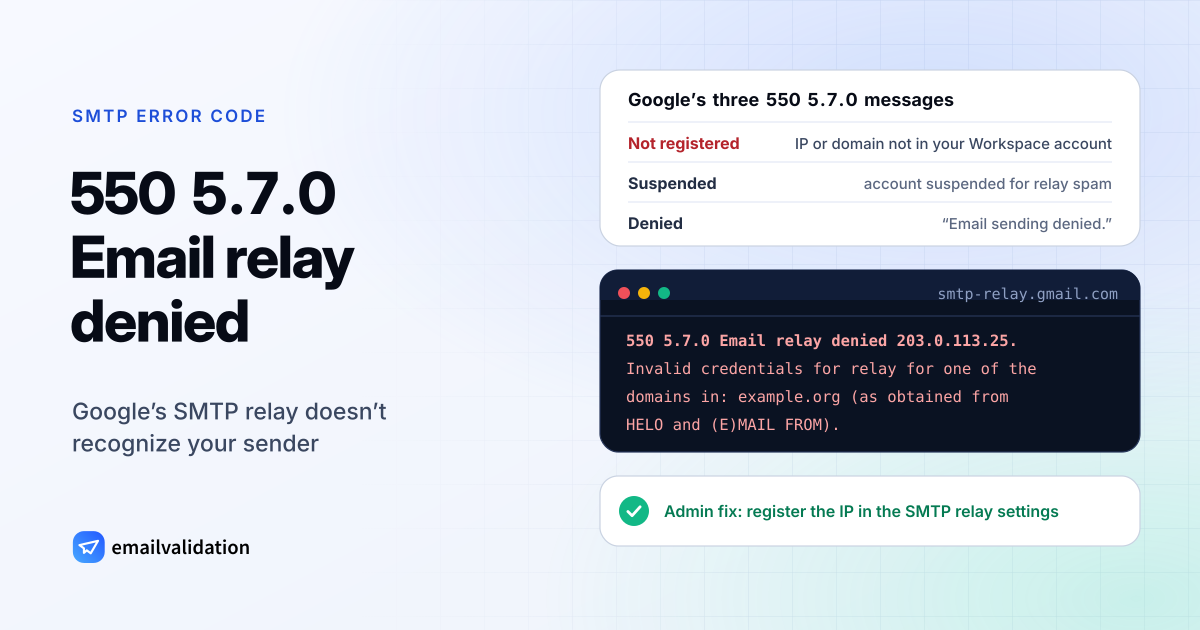
What 550 5.7.0 means
A 550 5.7.0 reply means the server refused your message for a security reason it doesn’t describe with a more specific code. RFC 5321 defines 550 as “Requested action not taken: mailbox unavailable (e.g., mailbox not found, no access, or command rejected for policy reasons)”. RFC 3463 defines X.7.0 as “Other or undefined security status”: something security-related went wrong, and “the problem cannot be well expressed with any of the other provided detail codes.”
So the code alone is vague. Google’s texts are not: Google uses 550 5.7.0 for “Email relay denied” and “Email sending denied”, the refusals of its Google Workspace SMTP relay service, smtp-relay.gmail.com. That service sends mail on behalf of your organization’s servers, apps and devices, and it authenticates them by IP address. If the relay doesn’t recognize the sender, it refuses.
Google’s three 550 5.7.0 messages
From Gmail SMTP errors and codes, with ip-address and domain-name standing for your values:
| Case | Message | What it means |
|---|---|---|
| Not registered | Email relay denied ip-address. Invalid credentials for relay for one of the domains in: domain-name (as obtained from HELO and (E)MAIL FROM). | Google continues: “Email is being sent from a domain or IP address which isn’t registered in your Workspace account.” |
| Suspended | Email relay denied ip-address. The sending email account has been temporarily suspended due to abuse. | The account was suspended under Google’s relay spam policy |
| Denied | Email sending denied. | Sending was refused; Google points to its relay error page |
Two close relatives use 5.7.1 instead. 550 5.7.1 with “Invalid credentials for relay” means the registered IP address “doesn’t match the domain of the account this email is being sent from.” And 550 5.7.1 with “The IP you’re using to send email is not authorized to send email directly to our servers” means you tried to deliver straight to Google instead of through a relay. Both count as 550 5.7.1 errors, but the fixes below apply to them too.
What causes 550 5.7.0 at Google
- The sending IP isn’t registered. A new server, a moved app, or a device on a dynamic IP address that changed. Google notes that relaying from a dynamic IP may need a static one.
- The domain isn’t registered. The relay identifies the domain from HELO and MAIL FROM. If the server announces a different name, or the envelope sender uses a domain outside your Workspace account, the relay can’t match it.
- Spam from your network. Under Google’s SMTP relay spam policy, “After 24 hours, if a Gmail account is still sending spam, the account is suspended.” Google’s advice to scan the sending device for malware points to the usual source: an infected computer or device.
How to fix 550 5.7.0
Your Google Workspace admin does this. The steps follow Google’s texts in Gmail SMTP errors and codes and its SMTP relay service error messages:
- Find the IP address in the bounce. The message names it after “Email relay denied”.
- Register it. Google: “Please login to your Workspace account and verify that your sending device IP address has been registered within the Workspace SMTP Relay Settings.”
- Fix HELO and MAIL FROM. The sending server should announce itself with its fully qualified domain name and use the sender’s real address in MAIL FROM.
- Relaying for another domain? Google: “configure your email server either to use SMTP AUTH to identify the sending domain or to present one of your domain names in the HELO or EHLO command.”
- Account suspended for abuse? Use Email Log Search to see what the account relayed, check the originating device IPs in Google’s alert, and “Scan the device for potential viruses or malicious software.” Keep unregistered accounts suspended until you’ve found the source, then restore the account.
If you send from a mail program rather than a server, you may not need the relay at all: logging in to smtp.gmail.com with an app password works from any IP. The Gmail SMTP settings list the details, and 554 5.7.0 covers the error you get when that login is missing.
550 5.7.0 from other servers
Outside Google, 550 5.7.0 can mean nearly any security refusal. RFC 7372 notes that operators who don’t want to reveal their policy can keep using generic codes such as 5.7.0. Read the text after the code; if there is none, look at the bounced message’s headers with the email header analyzer and ask the receiving admin. The 5.7.1 status code page explains the more common policy refusals, and SMTP error 550 covers every other 550.
Would email verification have prevented it?
No. The relay refused your server or your account; the recipient’s address was never checked. Once your relay works, bounces from the recipients’ side are what verification helps with: the list of SMTP error codes marks the ones it catches, and the email deliverability guide covers keeping your domain’s reputation clean after a spam incident.