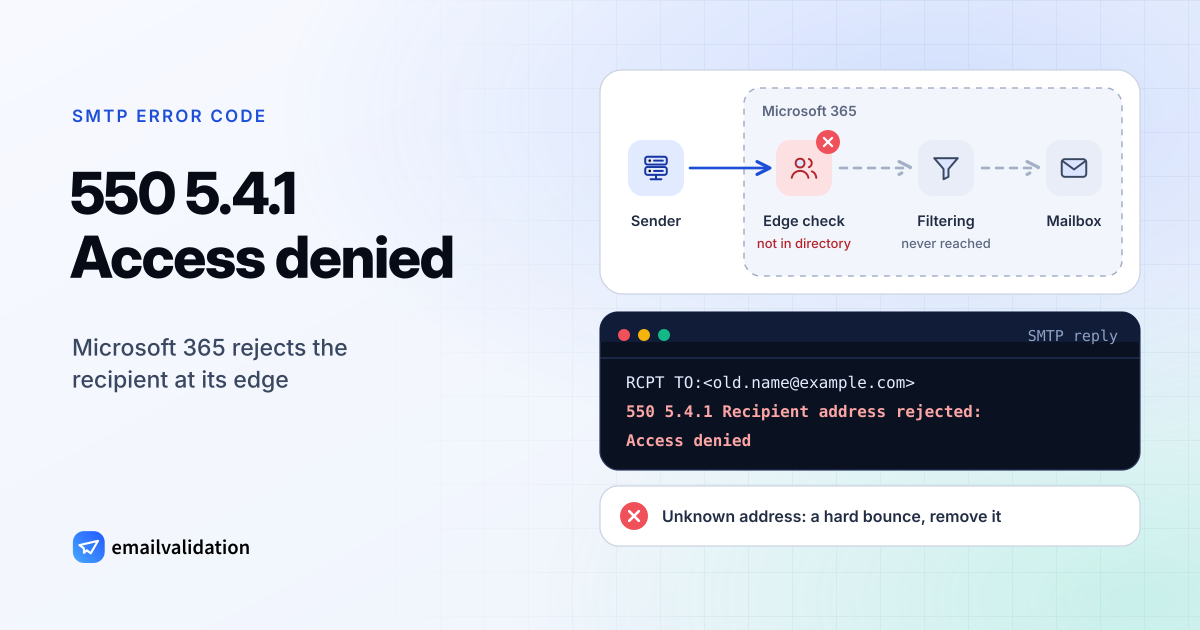
What 550 5.4.1 means
550 5.4.1 is a Microsoft 365 bounce. In the IANA registry and RFC 3463, X.4.1 means “No answer from host”, which is “useful only as a persistent transient error”. Microsoft uses it differently, as a permanent refusal behind 550, and with two texts:
| Reply | What Microsoft says it means |
|---|---|
550 5.4.1 Recipient address rejected: Access denied | The recipient address doesn’t exist in the Microsoft 365 organization. A hard bounce: the address is the problem. |
550 5.4.1 Relay Access Denied | The server “doesn’t accept email from the sender’s domain”, “generally caused by email server or DNS misconfiguration”. The receiving domain’s setup is the problem. |
Microsoft 365 also reports unknown recipients as 550 5.1.10 and 550 5.1.1. “Relay Access Denied” shows up when a domain is being moved to Microsoft 365 or its DNS points to the wrong place. Sources: Microsoft’s NDR reference and its article Fix NDR error 550 5.4.1.
Why Microsoft rejects the address at the edge
The “Access denied” text comes from Directory-Based Edge Blocking (DBEB). In Microsoft’s words, DBEB rejects “messages for invalid recipients at the service network perimeter”, and “if the address doesn’t exist, the service blocks the message before filtering even occurs”.
DBEB is active when the domain is set to Authoritative in Exchange Online. During a migration, Microsoft recommends keeping it on Internal relay “until all of your valid recipients have been added to Exchange Online and replicated through the system”. That explains many surprising 550 5.4.1 bounces: a real person whose mailbox isn’t known to Microsoft 365 yet.
What causes 550 5.4.1
- A wrong or deleted address. A typo, or someone who left the company.
- A recipient that isn’t in Microsoft 365 yet. In a hybrid setup, on-premises users must be synchronized to Microsoft 365 before DBEB accepts them.
- Dynamic distribution groups from on-premises Exchange. Microsoft notes that these “don’t sync to Exchange Online and are therefore blocked by DBEB”.
- Relay Access Denied. The domain isn’t listed as an accepted domain, its MX record is wrong, or DNS changes are still spreading. Microsoft says those can take up to 72 hours.
How to fix 550 5.4.1 as the sender
- Check the address. Compare it character by character with a recent email or signature from that person.
- Ask for the current address. Use another channel if the address looks right but bounces.
- Remove it from your lists. Do it once you know the address is gone. Repeated sends to unknown addresses hurt your email bounce rate.
- Check whether the whole domain bounces. When every address at the domain bounces, especially with “Relay Access Denied”, the receiving domain is misconfigured. Tell the people you’re writing to through another channel. The MX lookup shows where the domain’s mail is supposed to go.
If you run the Microsoft 365 tenant
For “Recipient address rejected: Access denied”, Microsoft’s steps are:
- The address: check its spelling in the NDR.
- The scope: find out whether one recipient or the whole domain is affected.
- Whole domain: in the Exchange admin center under Mail flow > Accepted domains, switch the domain from Authoritative to Internal relay and back to Authoritative.
- One synced hybrid mailbox: change the recipient’s SMTP proxy address to a temporary one and back, then allow up to 24 hours for DBEB to update.
- An on-premises dynamic distribution group: create a mail contact in Exchange Online with the group’s external address.
For “Relay Access Denied”, check that the domain is listed under accepted domains and shows as active in the Microsoft 365 admin center. Its MX record must use the form <domain-with-hyphens> (for example contoso-com), and Microsoft doesn’t support more than one MX record for a domain in Exchange Online. In hybrid setups, check the connectors that the Hybrid Configuration Wizard created.
Would email verification have prevented it?
For the common variant, yes. Because DBEB refuses unknown recipients before a message is accepted, an email verification gets the same answer when it asks about the mailbox: the address comes back as undeliverable. Check single addresses with the email checker, or a whole list with the bulk email verifier.
For “Relay Access Denied” the result is less clear-cut. A verification will flag addresses at that domain while it is misconfigured, even though the people behind them are real. Re-check them once the domain’s admin has fixed the setup.