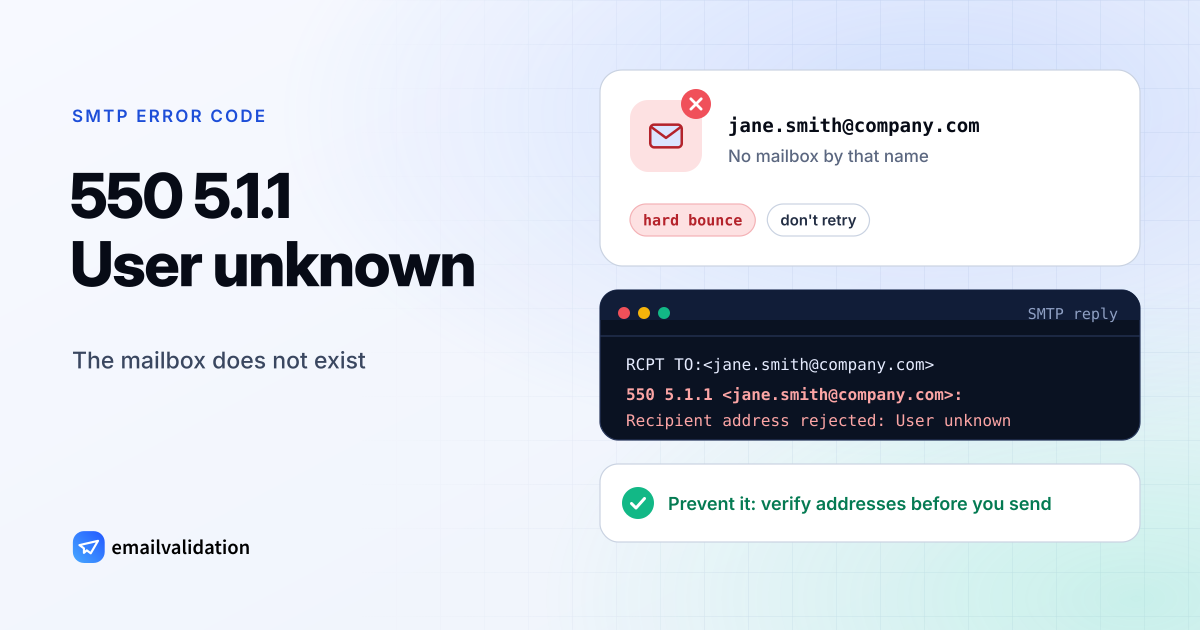
What 550 5.1.1 means
The reply has two codes. 550 is the basic SMTP reply for “mailbox unavailable” (RFC 5321). 5.1.1 is the enhanced status code from RFC 3463: class 5 (permanent failure), subject 1 (addressing), detail 1 (bad destination mailbox address). Together they say: the domain is fine and its mail server answered, but it has no mailbox by that name.
That distinguishes it from its relatives:
| Code | What doesn’t exist |
|---|---|
550 5.1.1 | The mailbox: the part before the @ |
553 5.1.2 (Gmail) | The domain: the part after the @ |
553 5.1.3 (Gmail) | A valid address at all: the syntax is wrong |
550 5.1.10 (Microsoft 365) | The recipient, by Microsoft’s own use of the code |
550 5.2.1 (Gmail) | An active mailbox: the account exists but is disabled |
How 550 5.1.1 looks at different providers
| Sent by | Reply |
|---|---|
| Gmail | 550 5.1.1 The email account that you tried to reach does not exist. |
| Microsoft 365 and Exchange | 550 5.1.1 (Microsoft’s description: “Bad destination mailbox address”) |
| Postfix servers | 550 5.1.1 <…>: Recipient address rejected: User unknown in local recipient table |
| Other servers | “User unknown”, “No such user”, “mailbox not found”, “recipient address rejected” |
Gmail delivers the bounce to you as an email from “Mail Delivery Subsystem” with the subject “Delivery Status Notification (Failure)” and the heading “Address not found”. The guide to Delivery Status Notification (Failure) shows how to read it.
Why it happens
- A typo.
jhon@,jane.doe@instead ofjane_doe@, a missing letter. Typos in the domain part give other codes, but typos before the @ give 5.1.1. - The person left. Companies delete mailboxes when people leave, often after a grace period with forwarding.
- The address was made up. People enter fake addresses in sign-up forms to get a download or a discount.
- The list is old. Mailing lists decay: addresses that worked when someone signed up stop working years later.
- A changed address format. The company moved from
jane.doe@tojdoe@and removed the old aliases. - A cached address in Outlook (Microsoft 365). Microsoft lists a stale entry in Outlook’s recipient cache after a mailbox move as one cause of 5.1.1. Delete the suggestion and type the address again.
Occasionally a server answers 5.1.1 although the mailbox exists, for example when it rejects mail it considers spam but reports it as an unknown user. If you are sure the address is right, ask the recipient to check with their IT team.
How to fix it
- Check the address character by character. Compare it with an email from that person or their website.
- Ask for the current address through another channel: phone, LinkedIn, a colleague.
- Remove the address from your lists. Don’t retry: every further message gets the same answer, and a high rate of hard bounces tells mailbox providers that you don’t maintain your list. Keep your bounce rate low; the email bounce rate guide has benchmarks.
- Check new addresses as they come in. Validate the address in your sign-up form, before it gets into your list.
If you run the receiving server
Look up the recipient in your directory. If the mailbox should exist, check for a deleted alias, a mailbox moved to another domain, a directory sync that hasn’t finished, or a recipient filter that runs before the mailbox lookup. For people who left, consider forwarding their mail to a colleague for a while: senders then find out without a bounce.
Prevent 550 5.1.1 with email verification
An email verification connects to the recipient’s mail server, asks about the mailbox at the RCPT TO step, and disconnects before any message is sent. A mailbox that would bounce with 550 5.1.1 comes back as undeliverable with the reason invalid_mailbox. Check a single address with the free email checker or the email validator, or clean a whole list with the bulk email verifier.
Two limits: domains that accept every address (catch-all) say yes to unknown mailboxes too, and a few servers accept every address during the conversation and bounce later. The catch-all guide explains how to handle those.