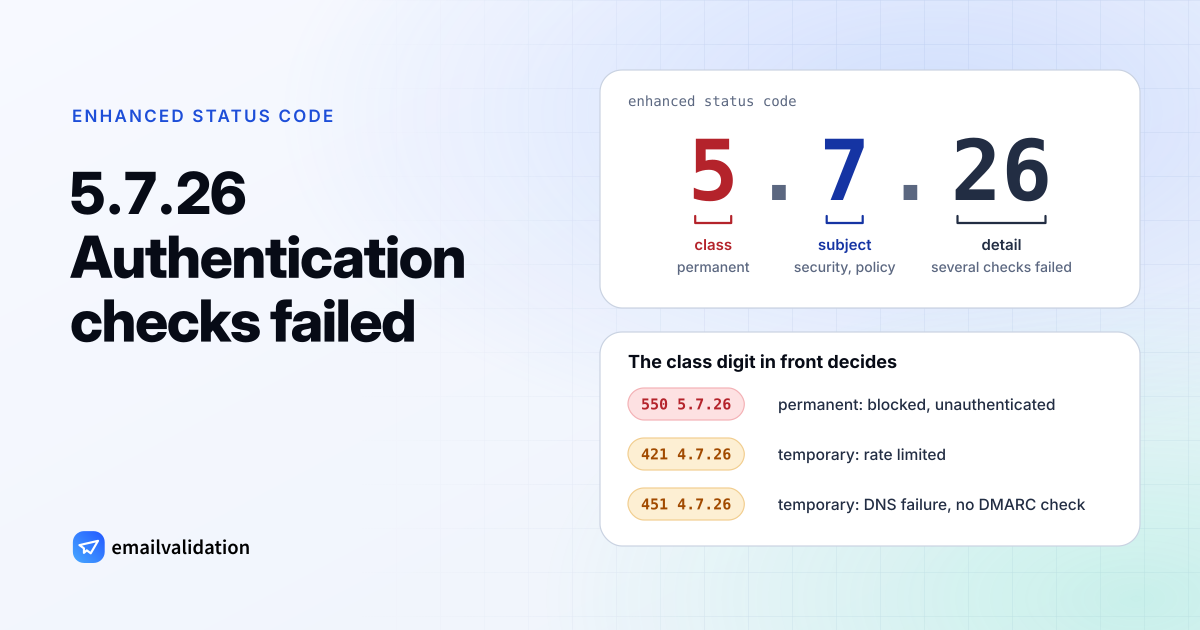
Reading 5.7.26: class, subject, detail
5.7.26 is an enhanced status code. Like every enhanced code it has three parts, defined in RFC 3463:
| Part | Value | Meaning |
|---|---|---|
| Class | 5 | Permanent failure: “not likely to be resolved by resending the message in the current form” |
| Subject | 7 | Security or policy status |
| Detail | 26 | Multiple authentication checks failed |
The detail comes from RFC 7372, which added email authentication codes to the IANA registry in 2014. Its definition: “This status code is returned when a message failed more than one message authentication check, contrary to local policy requirements. The particular mechanisms that failed are not specified.” The registry pairs it with the basic code 550.
RFC 7372 (section 4) also explains why such a code exists. A receiver that runs several checks and sees more than one fail “SHOULD use the code that indicates multiple methods failed rather than only reporting the first one that failed.” In practice that means SPF and DKIM, which DMARC then evaluates against your From domain.
5.7.26 after 550, 421 and 451
Gmail documents the code in detail, and its sender guidelines name it directly: “Messages that aren’t authenticated with these methods might be marked as spam or rejected with a 5.7.26 error.” In Gmail’s SMTP error list, the same detail code appears in three combinations:
| Full reply | Permanent? | Gmail’s text (excerpt) | Details |
|---|---|---|---|
550 5.7.26 | Yes | Three texts: sender unauthenticated, SPF hard fail, DMARC policy | 550 5.7.26 |
421 4.7.26 | No | This email has been rate limited because it is unauthenticated. | SMTP error 421 |
451 4.7.26 | No | Unauthenticated email from domain-name is not accepted due to domain's DMARC policy, but temporary DNS failures prevent authentication. | SMTP error 451 |
Two things stand out. Gmail’s texts name a single SPF hard fail and a DMARC policy as reasons, not only “several checks failed”. And Gmail uses the class digit 4 for temporary forms, although the registry pairs the code only with 550. So the class digit in front tells you whether to wait or to act.
Where you see 5.7.26
- In a Gmail bounce. If you send from a Gmail account, the bounce arrives from the Mail Delivery Subsystem; the Mail Delivery Subsystem guide explains its parts.
- In a Microsoft 365 or Outlook NDR. Microsoft’s NDR reference describes the “Diagnostic information for administrators” section: the generating server, the rejected recipient, the remote server (“the name of the mail server that rejected the message”), the enhanced status code and the SMTP response. When the remote server is Gmail’s, the 5.7.26 and its text are Gmail’s verdict, and your Microsoft 365 tenant only passed it on.
- In your email service’s logs. Newsletter and transactional services record the receiving server’s reply per message; look for the full line, including the text.
Which check failed?
5.7.26 doesn’t say, but the bounced message’s Authentication-Results header does. Gmail’s 550 text also includes it: “Authentication results: DKIM = did not pass SPF [domain-name] with ip: [ip-address] = did not pass.” The email header analyzer lays out SPF, DKIM and DMARC results side by side.
If a receiver reports a single failed check, it uses a more specific code. These are the ones you’re most likely to meet:
| Code | Meaning | Source |
|---|---|---|
5.7.20 | No passing DKIM signature found | RFC 7372 |
5.7.23 | SPF validation failed; Microsoft 365: “rejected because of Sender Policy Framework violation” | RFC 7372, Microsoft |
5.7.25 | Reverse DNS validation failed; Gmail: no PTR record | RFC 7372, Gmail |
5.7.27 / 5.7.30 / 5.7.40 | Gmail: SPF didn’t pass / DKIM didn’t pass / no DMARC record | Gmail |
5.7.509 | Microsoft 365: the From domain fails DMARC and its policy is reject | Microsoft, see 550 5.7.509 |
Gmail’s 5.7.27 and 5.7.30 differ from the registry, where X.7.27 means the sender’s domain has a null MX and X.7.30 means REQUIRETLS support is required. Read the text, not just the number.
Next step: fix your authentication
Whatever the basic code in front, the fix is the same: make SPF or DKIM pass for the domain in your From address, and publish DMARC. The 550 5.7.26 page goes through each step, including forwarded mail.
Would email verification have prevented it?
No. 5.7.26 is about your domain’s authentication, not about whether the recipient exists, and a verification would report most of these addresses as deliverable. The Gmail and Yahoo sender requirements list what else large mailbox providers check, and the list of SMTP error codes shows which codes verification does catch.