What 5.4.14 means
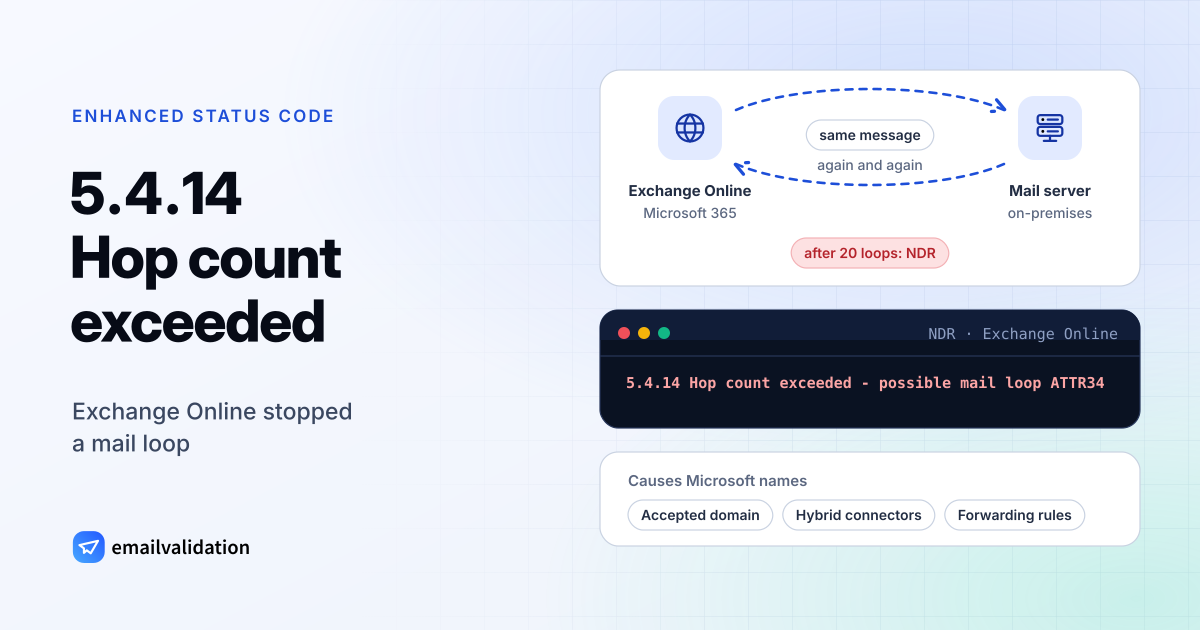
5.4.14 means Exchange Online found the message in a loop and stopped it. Microsoft’s article on 5.4.6 and 5.4.14 shows the NDR text:
5.4.14 Hop count exceeded - possible mail loop ATTR34
and explains: “5.4.14 indicates a mail loop or routing problem in Exchange Online.” The on-premises equivalent is 554 5.4.6 with the same text, “Hop count exceeded - possible mail loop”, which Exchange Server generates and which you meet in hybrid environments. Microsoft’s NDR reference lists both under “Routing loop detected” and adds: “By default, after 20 iterations of an email loop, Exchange interrupts the loop and generates an NDR to the sender of the message.”
The number is Microsoft’s own. The IANA registry of enhanced codes ends the routing group at X.4.7. The standard code for the same problem is X.4.6, which RFC 3463 calls “Routing loop detected”: “A routing loop caused the message to be forwarded too many times, either because of incorrect routing tables or a user-forwarding loop.”
How a mail loop happens
Every server that handles a message adds a Received: line to its header. RFC 5321 says servers “MUST contain provisions for detecting and stopping trivial loops”, and that counting these lines “has proven to be an effective, although rarely optimal, method of detecting loops”. It suggests a threshold of “normally at least 100”; Gmail stops at 50 hops (554 5.4.6 “Message exceeded 50 hops, this may indicate an email loop.”), Exchange after 20 iterations of a loop.
A loop forms when two systems each think the other is responsible for a recipient, or when rules keep passing a message on. In a bounced message’s header, you see the same few servers again and again; the email header analyzer lists every hop in order.
What causes 5.4.14
Microsoft names these causes:
| Cause | What goes wrong |
|---|---|
| Accepted domain | Exchange Online accepts the message because of the recipient’s domain, “but then couldn’t correctly route the message to the recipient.” |
| Hybrid inbound | Mail is routed by DNS instead of a smart host: the MX record points to Exchange Online, and the connector to your on-premises servers uses DNS routing, so it looks up the MX and sends the message straight back to Exchange Online |
| Hybrid outbound | All outbound mail goes via on-premises: with Route on, a missing or wrongly scoped connector from Office 365 to your servers breaks the route |
| Forwarding | Mailbox rules that forward automatically, for example two mailboxes forwarding to each other |
The accepted domain type matters here. Microsoft’s guide to accepted domains defines “Authoritative” as: email for unknown recipients is rejected. “Internal relay” sends mail for recipients Microsoft 365 doesn’t know on to your own mail server, and needs a connector to it. Set to internal relay without a working route elsewhere, mail for an unknown address can come straight back.
How to fix 5.4.14
If you’re the sender: Microsoft says “these issues can only be fixed by an Exchange Online admin and not the average email sender.” Forward the NDR to your admin, or to the recipient’s admin if the bounce came from their organization.
If you’re the Exchange Online admin:
Check the accepted domain. In the Exchange admin center, under Mail flow > Accepted domains, make sure the recipient’s domain is Authoritative if all its mailboxes are in Microsoft 365. Microsoft: “You should not select this option if all of the recipients for this domain are in Microsoft 365 or Office 365” (about internal relay).
Hybrid inbound routing. Make sure the connector to your on-premises organization uses smart host routing to your hybrid server, not DNS. The simplest fix, according to Microsoft, is to run the Hybrid Configuration Wizard again.
Hybrid outbound routing. Check the connector setting:
Get-OutboundConnector -Identity "<Connector Name>" | Format-List Name,RouteAllMessagesViaOnPremisesIf it’s
True, you need a connector from Office 365 to your email server with the connector type On-premises that isn’t scoped to any accepted domains.Look for forwarding loops. Check both mailboxes’ rules and forwarding settings, and any mail flow rules that redirect messages.
Check the MX records of the domain with the MX lookup. The MX record guide explains how they decide where mail goes.
Related Microsoft 365 errors
- 550 5.4.1: Microsoft 365 rejects an unknown recipient at the edge, or “Relay Access Denied” when the domain isn’t set up right.
- 550 5.7.520: automatic forwarding to outside addresses isn’t allowed.
- 4.4.7: the message expired after a day of failed delivery attempts.
The list of SMTP error codes covers the rest.
Would email verification have prevented it?
No. A loop happens after a server has accepted the message, inside the routing of the organizations involved. An email verification asks the first server whether it accepts the address, and that server says yes. Our Microsoft 365 SMTP settings page helps when the loop starts at an app or device that sends through Microsoft 365.