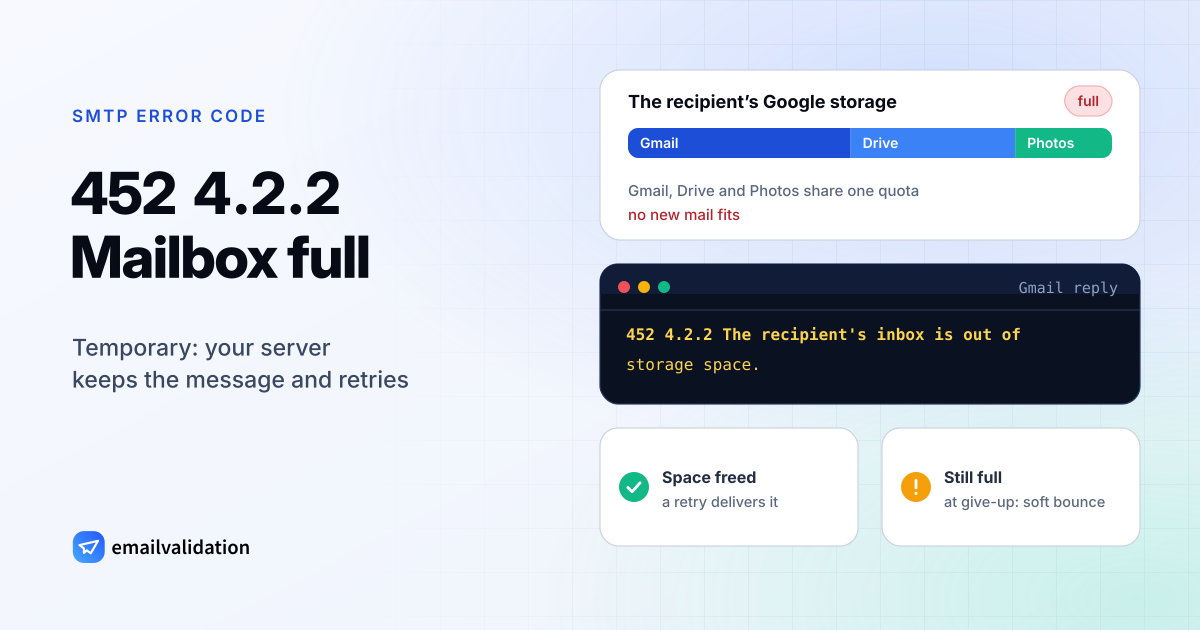
What 452 4.2.2 means
A 452 4.2.2 reply means the recipient’s mailbox is full and the receiving server can’t accept your message at the moment. Both parts of the reply say so. RFC 5321 defines 452 as “Requested action not taken: insufficient system storage”. The enhanced code comes from RFC 3463: X.2.2 is “Mailbox full”, because “the user has exceeded a per-mailbox administrative quota or physical capacity.”
The RFC also explains why the code starts with a 4. The recipient “can delete messages to make more space available”, so X.2.2 “should be used as a persistent transient failure.” The problem is real, but it can go away.
Your server treats it like any temporary error. It keeps the message in its queue and tries again; RFC 5321 (section 4.5.4.1) says the retry interval “SHOULD be at least 30 minutes” and that “the give-up time generally needs to be at least 4-5 days.” If the mailbox is still full when your server gives up, you get a bounce, and email services count it as a soft bounce. The guide to hard vs. soft bounces explains the difference.
Gmail’s 452 4.2.2 message
Gmail’s reply, from Gmail SMTP errors and codes:
452 4.2.2 The recipient's inbox is out of storage space.
Please direct the recipient to Manage files in your Google Drive storage
The link points the recipient to Google’s storage help. Gmail shares its storage with Google Drive and Google Photos, so a recipient can run out of space without receiving a single large email. Once an account is over its limit, Google says: “You can’t send or receive emails” and “Messages sent to you go back to the sender.” Accounts that stay over quota for a long time risk more: “If you’re over your storage quota for 2 years, we might delete your content across Gmail, Drive, and Photos.”
452 4.2.2 and similar codes
A full mailbox isn’t the only thing a 452 can mean, and not every full mailbox gets a 452. Compare the code and the text:
| Reply | Sent by | Meaning | What happens |
|---|---|---|---|
452 4.2.2 | Gmail | Inbox out of storage space | Your server retries |
552 5.2.2 | Gmail | Inbox out of storage space and inactive | Bounces at once: see 552 5.2.2 |
452 4.5.3 | Gmail | “Your message has too many recipients.” | Not about storage: split the recipient list |
550 5.2.1 | Gmail | The account is inactive or disabled | Bounces at once: see 550 5.2.1 |
The 452 4.5.3 row matters because RFC 5321 (section 4.5.3.1.10) names 452 as the correct reply when a server reaches its limit on recipients per message. Without the enhanced code, a bare 452 could be either problem.
What causes a full mailbox
- The recipient doesn’t clean up. Mail, attachments and, at Gmail, Drive files and photos add up until the quota is reached.
- The mailbox is abandoned. A mailbox nobody reads keeps filling with newsletters and notifications until it’s full. That’s the case behind Gmail’s permanent
552 5.2.2“… and inactive”. - A small quota. Company mailboxes often have a fixed size set by the admin or the hosting plan.
None of these are on your side. Your mail, domain and sending setup are fine.
How to fix 452 4.2.2 as the sender
- Let the retries run. Don’t resend by hand: if the recipient frees space, the original goes through and they get it twice.
- Reach the person another way if the message is urgent: phone, a colleague, another address. Ask them to free space or to tell you a working address.
- Watch for repeats. One deferral means nothing. If the same address is full in campaign after campaign, it’s almost certainly abandoned. Remove it before it turns into a permanent bounce.
- Keep an eye on your bounce numbers. Full mailboxes count toward your soft bounces in most email services. The guide to your email bounce rate covers what counts and what’s normal.
If you send through an email service, it handles the retries. Its logs show the deferral, and the final status shows whether the message got through.
If you’re the recipient or their admin
Free space: delete large messages and attachments and empty the trash. At Gmail, check Drive and Photos too, since they share the quota. In a company, the admin can raise the mailbox quota or archive old mail. Senders whose messages already bounced have to send them again; messages still being retried arrive on their own.
Would email verification have prevented it?
Partly. The mailbox exists, and a check before sending asks the receiving server whether it accepts the address. When the server answers that the mailbox is full, the email validation API returns the status risky with the sub-status mailbox_full and the recommended action retry_later. The answer can change from day to day, so a full mailbox is a reason to wait, not to delete the address.
Verification helps with what comes after. Mailboxes that stay full are usually abandoned, and abandoned accounts eventually disappear: Google’s inactive account policy applies to personal accounts that have “not been used within a 2-year period.” Once an account is gone, sending to it gets a hard bounce such as 550 5.1.1. Checking older lists with the bulk email verifier before a campaign removes those addresses first. The list of SMTP error codes shows which other codes verification catches.