How to read an SMTP reply
Reply from the receiving server
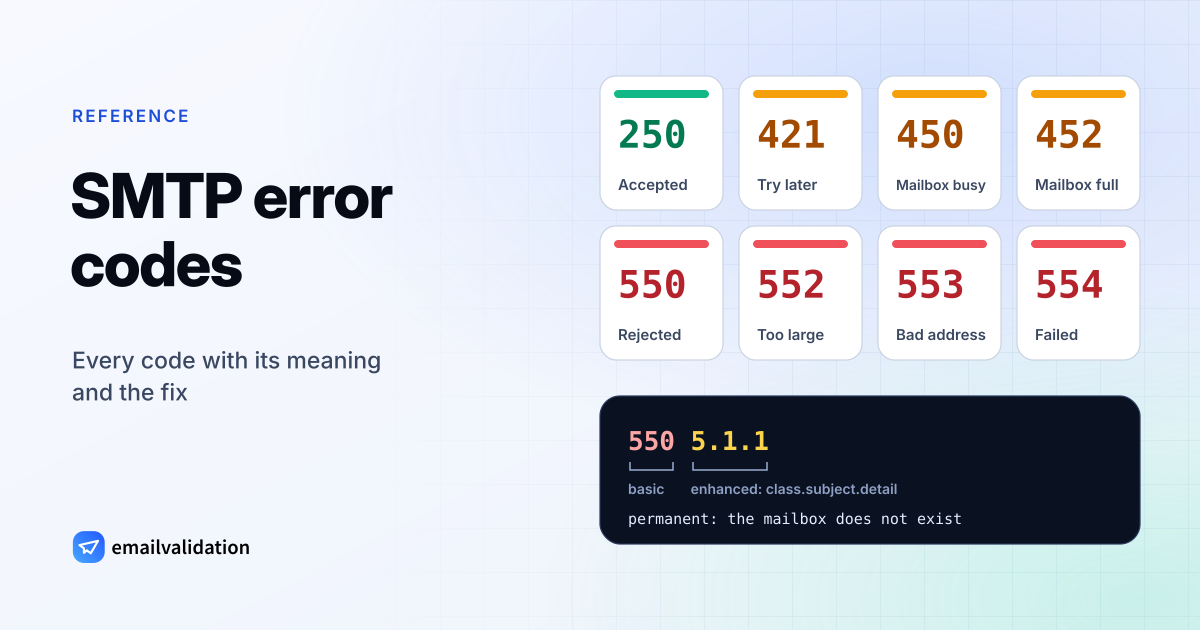
550 5.1.1 The email account that you tried to reach does not exist.
1 · Reply code 550
Three digits from RFC 5321. The first one decides what happens next: 5 means permanent failure, 4 means try again later.
2 · Enhanced code 5.1.1
5
class:
permanent
1
subject:
addressing
1
detail: bad
mailbox
3 · Text
Free text from the server. Every provider words it differently, and it often names the real cause: a blocklist, a policy, a full mailbox.
Every answer a mail server gives starts with a three-digit reply code from RFC 5321. The first digit is all your server needs to decide what to do next:
| First digit | Meaning | What the sending server does |
|---|---|---|
2 | Success, for example 250 OK | Moves on to the next step |
3 | More input needed, for example 354 after the DATA command | Sends the message body |
4 | Temporary failure | Keeps the message and retries later: a soft bounce if it never gets through |
5 | Permanent failure | Gives up and sends you a bounce: a hard bounce or a block |
Most servers add an enhanced status code (RFC 3463) such as 5.1.1. Its first number repeats the class (2, 4 or 5). The second names what went wrong:
| Subject | Area | Typical example |
|---|---|---|
X.1.X | The address | 5.1.1 mailbox doesn’t exist, 5.1.2 domain not found |
X.2.X | The mailbox | 4.2.2 / 5.2.2 mailbox full, 5.2.1 mailbox disabled |
X.3.X | The receiving mail system | 5.3.4 message too big |
X.4.X | Network and routing | 4.4.7 delivery time expired, 5.4.6 routing loop |
X.5.X | The SMTP conversation | 5.5.1 invalid command |
X.6.X | Message content or format | Conversion or encoding problems |
X.7.X | Security and policy | 5.7.1 refused by policy, 5.7.26 failed authentication |
The text after the codes is free-form. It is often the most useful part, because providers use it to name the actual reason, from a blocklist to a missing DMARC record.
Common SMTP error codes
Search for the code in your bounce, or for a word from its text. Codes with their own page are linked.
Address problems (hard bounces)
The address or its domain does not exist or does not accept mail. Retrying won’t help: remove the address. An email verification before sending catches most of these; the ✓ and ◐ marks show which.
| Code | Meaning | What the server says | What to do |
|---|---|---|---|
550 5.1.1 | The mailbox does not exist at this domain. | Gmail: “The email account that you tried to reach does not exist.” Microsoft 365: “Bad destination mailbox address” Postfix: “Recipient address rejected: User unknown in local recipient table” | Check the address for typos, then remove it. Don’t retry. ✓ Caught by verification |
550 5.1.10 | Microsoft 365: recipient not found. (In the IANA registry, X.1.10 means the domain publishes a null MX.) | Microsoft 365: “Recipient not found” | Check the spelling and remove the address. ✓ Caught by verification |
550 5.4.1 | Microsoft 365: the address does not exist in the recipient’s organization and was rejected at the edge (Directory-Based Edge Blocking). With “Relay Access Denied”, the receiving domain is misconfigured. (IANA: no answer from host.) | Microsoft 365: “Recipient address rejected: Access denied” Microsoft 365: “Relay Access Denied” | Check the address. If the domain has just moved to Microsoft 365, its admin must finish the setup. ✓ Caught by verification |
553 5.1.2 | The recipient domain was not found. | Gmail: “We weren’t able to find the recipient domain.” | Check the domain for typos such as gmial.com, and whether it has MX records. ✓ Caught by verification |
553 5.1.3 | The address is not written correctly. | Gmail: “The recipient address … is not a valid RFC 5321 address.” | Correct the address: no spaces, one @, a valid domain. ✓ Caught by verification |
550 5.2.1 | The mailbox is disabled or inactive. Gmail also uses it for a recipient who receives mail too fast. | Gmail: “The email account that you tried to reach is inactive.” Gmail: “The user you are trying to contact is receiving email at a rate that prevents additional messages from being delivered.” | Remove the address: nobody uses it anymore. For the rate-limit text, send again later. ◐ Partly caught by verification |
552 5.2.2 | Mailbox full. Gmail sends it when the mailbox is full and inactive. Microsoft 365 uses 5.2.2 for a sender-side limit instead. | Gmail: “The recipient’s inbox is out of storage space and inactive.” Microsoft 365: “Submission quota exceeded” | Gmail: remove the address. Microsoft 365: your account hit its sending limit; wait or reduce volume. ◐ Partly caught by verification |
554 | Yahoo’s reply for an account that doesn’t exist (no enhanced code). | Yahoo: “This user doesn’t have a yahoo.com account” | Remove the address. ◐ Partly caught by verification |
551 | User not local. The server may name the address to use instead. | – | Use the new address if the reply gives one; otherwise remove it. |
553 | Mailbox name not allowed, usually invalid address syntax. | – | Correct the address. ✓ Caught by verification |
552 | Exceeded storage allocation: mailbox full or message too big. A permanent reply, though some email services count a mailbox-full 552 as a soft bounce. | – | Read the enhanced code: 5.2.2 is a full mailbox, 5.3.4 a message that is too large. |
Temporary failures (soft bounces)
The receiving server asks you to try again later. Your server retries on its own; it only becomes a bounce if the problem lasts until the message expires.
| Code | Meaning | What the server says | What to do |
|---|---|---|---|
452 4.2.2 | The mailbox is full. | Gmail: “The recipient’s inbox is out of storage space.” | Your server retries. Remove the address if it keeps bouncing for weeks. ◐ Partly caught by verification |
450 4.2.1 | The recipient is receiving mail faster than the server allows. | Gmail: “The user you are trying to contact is receiving email too quickly.” | Retry later; don’t send the same message again by hand. |
451 4.3.0 | Temporary error on the receiving server. | Gmail: “Email server has temporarily rejected this message.” | Your server retries automatically. |
451 4.7.1 | Temporarily refused for a policy reason, for example a sender the server doesn’t know yet. (RFC 3463 calls X.7.1 permanent-only; the IANA registry lists 451 with it.) | – | Make sure your server retries; temporary policy refusals often clear on a later attempt. |
421 4.7.0 | Connection refused for now: low reputation, a missing PTR record, or TLS required. | Gmail: “Try again later, closing connection.” Gmail: “TLS required for RCPT domain, closing connection.” | Check reverse DNS and TLS on your server, slow down, and look at your sending reputation. |
421 4.7.28 | Rate limited because of an unusual volume of mail. | Gmail: “Gmail has detected an unusual rate of email …” | Send more slowly and spread campaigns out; check complaint rates. |
421 4.7.26 | Rate limited because the message is not authenticated. | Gmail: “This email has been rate limited because it is unauthenticated.” | Set up SPF and DKIM for your sending domain. |
421 4.7.27 | Rate limited because SPF did not pass. | Gmail: “Your email has been rate limited because SPF authentication didn’t pass for this message.” | Fix your SPF record. |
421 4.7.30 | Rate limited because DKIM did not pass. | Gmail: “Your email has been rate limited because DKIM authentication didn’t pass for this message.” | Turn on DKIM signing at your email service. |
421 4.7.40 | Rate limited because the sending domain has no DMARC record. | Gmail: “Your email has been rate limited because the sending domain doesn’t have a DMARC record …” | Publish a DMARC record. |
4.4.7 | The message expired in the queue before the receiving server accepted it. You get it as a bounce at the end. | Microsoft 365: “Message expired” Microsoft 365: “550 4.4.7 QUEUE.Expired; message expired” | Check the recipient domain’s MX records and servers; ask its admin. ◐ Partly caught by verification |
421 | Service not available, closing the connection. | – | Your server retries later. |
450 | Mailbox unavailable for now, for example busy or temporarily blocked. | – | Your server retries later. |
451 | Local error in processing on the receiving side. | – | Your server retries later. |
452 | Insufficient system storage, or too many recipients in one message. | – | Retry later; split large recipient lists. |
Blocked by the receiver
The address may be fine; the receiver refused your mail because of authentication, reputation, content or a local rule. Fix the cause before you send again.
| Code | Meaning | What the server says | What to do |
|---|---|---|---|
550 | Mailbox unavailable: not found, no access, or refused by policy. The text after the code says which. | Barracuda-style gateways: “550 permanent failure for one or more recipients (…:blocked)” | Read the enhanced code and text; see the 550 page. ◐ Partly caught by verification |
550 5.7.1 | Refused by the receiver’s policy: spam filter, sender restrictions or a local rule. | Gmail: “This message is likely unsolicited email.” Microsoft 365: “Delivery not authorized” | Read the rest of the reply; check authentication, content and whether the recipient accepts outside mail. |
554 5.7.1 | Refused by policy. With “Relay access denied”, the server will not pass your mail on. | Postfix: “Relay access denied” | Log in to your outgoing server before sending; check that the recipient domain’s MX points to the right server. |
5.7.1 | Delivery not authorized, message refused (RFC 3463): a policy stopped the message. The basic code in front decides: 550 or 554 is permanent, 451 temporary. | Microsoft 365: “Unable to relay” Microsoft 365: “Client was not authenticated” | Read the basic code and the text: relay and login errors are on your side; blocks need the cause fixed first. |
550 5.7.26 | Blocked because the message is unauthenticated, or fails the sender domain’s DMARC policy. | Gmail: “This email has been blocked because the sender is unauthenticated.” Gmail: “Unauthenticated email from domain-name is not accepted due to domain’s DMARC policy.” | Set up SPF and DKIM so they align with your From domain. |
5.7.26 | Multiple authentication checks failed (RFC 7372). Gmail uses it with 550 to block unauthenticated mail, and as 4.7.26 with 421 or 451 for temporary refusals. | Gmail, as 451 4.7.26: “Unauthenticated email from domain-name is not accepted due to domain’s DMARC policy, but temporary DNS failures prevent authentication.” | Read the basic code in front: 550 bounces, 421 and 451 are retried. Make SPF or DKIM pass for your From domain. |
550 5.7.27 | Gmail: SPF did not pass (bulk senders). In the IANA registry, X.7.27 means the sender’s domain has a null MX. | Gmail: “This message was blocked because it didn’t pass SPF authentication.” | Fix your SPF record. |
550 5.7.30 | Gmail: DKIM did not pass (bulk senders). In the IANA registry, X.7.30 means REQUIRETLS support is required. | Gmail: “This message was blocked because it didn’t pass DKIM authentication.” | Turn on DKIM signing with your own domain. |
550 5.7.40 | Gmail: the sending domain has no DMARC record. | Gmail: “Your message was blocked because the sending domain doesn’t have a DMARC record …” | Publish a DMARC record. |
550 5.7.25 | The sending IP address has no matching PTR (reverse DNS) record. | Gmail: “This message was blocked because the sending IP address doesn’t have a PTR record …” | Ask your server host to set a PTR record that matches your mail server’s name. |
550 5.7.28 | Blocked for an unusual amount of unsolicited mail from your IP address. | Gmail: “There is an unusual rate of unsolicited email originating from your IP address.” | Stop the campaign, check for hacked accounts and send only to people who opted in. |
550 5.7.509 | Microsoft 365: the From domain fails DMARC and its policy is reject. | Microsoft 365: “Access denied, sending domain … does not pass DMARC verification and has a DMARC policy of reject.” | Make SPF or DKIM pass for your From domain. |
550 5.7.515 | Outlook.com: the sender misses the authentication rules for high-volume senders (SPF, DKIM, DMARC). | Outlook.com: “Access denied, sending domain … does not meet the required authentication level.” | Publish SPF, DKIM and a DMARC record, aligned with your From domain. |
550 5.7.23 | Rejected because of an SPF violation. | Microsoft 365: “The message was rejected because of Sender Policy Framework violation” | Add the sending server to your SPF record. |
5.7.606–5.7.649 | Microsoft 365: the sending IP address is banned. | Microsoft 365: “Access denied, banned sending IP” | Request delisting through Microsoft’s delist portal after fixing the cause. |
552 5.3.4 | The message is too large. | Gmail: “Your message exceeded Google’s message size limits.” | Send large files as a link. |
554 | Transaction failed, often a spam or policy rejection. At the start of a connection: no SMTP service here. | – | Read the rest of the reply. |
Sending setup and protocol errors
Your own side refused or failed to send: an account blocked for outbound spam, a forwarding rule, a missing login, the wrong port, relay not allowed, broken commands.
| Code | Meaning | What the server says | What to do |
|---|---|---|---|
550 5.7.708 | Microsoft 365 blocked mail leaving your tenant because the sending IP has a low reputation; mostly new and trial tenants. | Microsoft 365: “Access denied, traffic not accepted from this IP” | An admin checks for compromised accounts and open relays, then contacts Microsoft Support (trial tenants: ask for an IP exception). |
550 5.7.520 | Microsoft 365: your organization does not allow automatic forwarding to outside addresses. | Microsoft 365: “Access denied, Your organization does not allow external forwarding.” | Your admin must allow external forwarding in the outbound spam policy. |
5.1.8 | Microsoft 365: your account was blocked for sending spam, often after a break-in. | Microsoft 365: “Access denied, bad outbound sender” | Secure the account (password, MFA); the admin removes the restriction. |
530 5.7.0 | Authentication required: log in before sending (RFC 4954). | – | Turn on SMTP authentication in your mail program, usually on port 587. |
535 5.7.8 | Authentication credentials invalid: wrong user name or password (RFC 4954). | – | Check the login; some providers need an app password. |
5.7.57 | Microsoft 365: an app or device tried to send through smtp | Microsoft 365: “Client was not authenticated to send anonymous mail during MAIL FROM” | Configure SMTP authentication or a connector for the device. |
550 5.7.0 | Google Workspace SMTP relay: the sending IP or domain isn’t registered, or the account is suspended for abuse. (RFC 3463: other or undefined security status.) | Gmail: “Email relay denied … Invalid credentials for relay for one of the domains in: …” Gmail: “Email sending denied.” | Register the sending IP in the Workspace SMTP relay settings, or use SMTP AUTH or one of your domains in HELO. |
554 5.7.0 | Too many commands before logging in. | Gmail: “Too many unauthenticated commands.” | Authenticate first. |
554 5.4.6 | Mail loop: the message passed through too many servers. | Gmail: “Message exceeded 50 hops, this may indicate an email loop.” Microsoft 365: “Routing loop detected (5.4.6 or 5.4.14)” | Look for forwarding rules or MX records that point back to each other. |
5.4.14 | Exchange Online: mail loop or routing problem. On-premises Exchange reports the same as 5.4.6. (Not in the IANA registry.) | Microsoft 365: “Hop count exceeded - possible mail loop ATTR34” | An admin checks the accepted domain type, hybrid connectors and forwarding rules. |
500 | Syntax error, command unrecognized. | – | A bug or a wrong port in the sending program. |
501 | Syntax error in parameters, often a malformed address. | – | Check the sender and recipient addresses. |
502 | Command not implemented. | – | The server does not support what the client asked for. |
503 | Bad sequence of commands, for example RCPT before MAIL, or sending without logging in. | – | Check the client’s settings, especially authentication. |
504 | Command parameter not implemented. | – | Update or reconfigure the sending program. |
555 | MAIL FROM or RCPT TO parameters not recognized. | – | Update or reconfigure the sending program. |
No code matches. Try fewer words, or only the three-digit code.
Sources: RFC 5321 (SMTP reply codes) · RFC 3463 and the IANA registry of enhanced status codes · Gmail SMTP errors and codes · Microsoft: NDRs in Exchange Online · Yahoo Sender Hub: SMTP error codes · RFC 7372 (email authentication status codes) · Google Workspace: SMTP relay service error messages · Microsoft: Fix NDR error 550 4.4.7 in Exchange Online · Microsoft: Fix NDR error 5.4.6 or 5.4.14 in Exchange Online · Microsoft: Fix NDR error codes 5.7.703 to 5.7.750. Provider texts are short excerpts, checked October 10, 2026.
Provider-specific codes: Gmail, Microsoft 365, Yahoo
The three-digit codes mean the same everywhere. Enhanced codes do not: large providers use them for their own purposes, so the same 5.x.x can mean different things depending on who sent it.
- Gmail uses
5.7.27,5.7.30and5.7.40for mail that fails SPF, fails DKIM or has no DMARC record. In the IANA registry, 5.7.27 and 5.7.30 mean “sender address has null MX” and “REQUIRETLS support required”. Gmail also answers 452 4.2.2 for a full mailbox and 552 5.2.2 when the mailbox is full and inactive. Temporary security refusals come as 421 4.7.0, and Google’s SMTP relay refuses unknown senders with 550 5.7.0. - Microsoft 365 reports an unknown recipient as
550 5.1.10(registry: null MX) and sometimes as550 5.4.1 Recipient address rejected: Access denied(registry: no answer from host). Its5.2.2means “submission quota exceeded”: a limit on the sender, the opposite of Gmail’s full mailbox. DMARC rejections come as550 5.7.509; Outlook.com’s rules for high-volume senders use550 5.7.515. Blocks on a whole tenant’s outgoing mail use 5.7.7xx codes such as 550 5.7.708, and mail loops in Exchange Online end as 5.4.14. - Yahoo describes its errors in its sender help by basic code:
421and451are temporary blocks,553and554permanent ones, and an address that doesn’t exist gets554 delivery error: … This user doesn't have a yahoo.com account.
Fix by symptom
| The bounce says | Most likely cause | What to do |
|---|---|---|
| “does not exist”, “user unknown”, “recipient not found” | The address is wrong or was deleted | Check for typos, then remove the address. Read 550 5.1.1. |
| “blocked”, “rejected”, “policy”, “unsolicited” | Your mail failed a check at the receiver | Check SPF, DKIM and DMARC; look for your IP on blocklists; read the full text. |
| “unauthenticated”, “DMARC policy” | Neither SPF nor DKIM passes for your From domain | Fix SPF with the SPF record generator, turn on DKIM signing in your email service, and publish DMARC with the DMARC generator. |
| “out of storage space”, “mailbox full” | The recipient’s mailbox is full | Wait: your server retries. Remove the address if it keeps happening. |
| “Relay access denied” | The server won’t pass on your mail | Log in to your outgoing server (port 587), or check the recipient domain’s MX records with the MX lookup. |
| “try again later”, “rate limited”, “unusual rate” | You send too much, too fast, or your reputation dropped | Slow down and spread out campaigns; send only to people who opted in. |
| “message expired”, “delivery time expired” | Temporary errors lasted too long | Check that the recipient domain’s mail servers are reachable. Read 4.4.7. |
Whether a failure counts as a hard or a soft bounce decides what your email tool does next. The guide to hard vs. soft bounces explains the difference, and Mail Delivery Subsystem explains the bounce messages Gmail sends you.
Would email verification have prevented it?
Only for the address problems marked ✓ or ◐ in the code list above. An email verification connects to the recipient’s mail server and asks whether it accepts the mailbox, then disconnects before anything is sent. If the server would answer 550 5.1.1 to your message, it gives the same answer to the check, and you can remove the address before you send. Blocks and authentication errors are about your sending setup; verification can’t fix those, but the free SPF, DKIM and DMARC checkers show what to fix, and the email deliverability guide covers sender reputation and the rest of your setup.