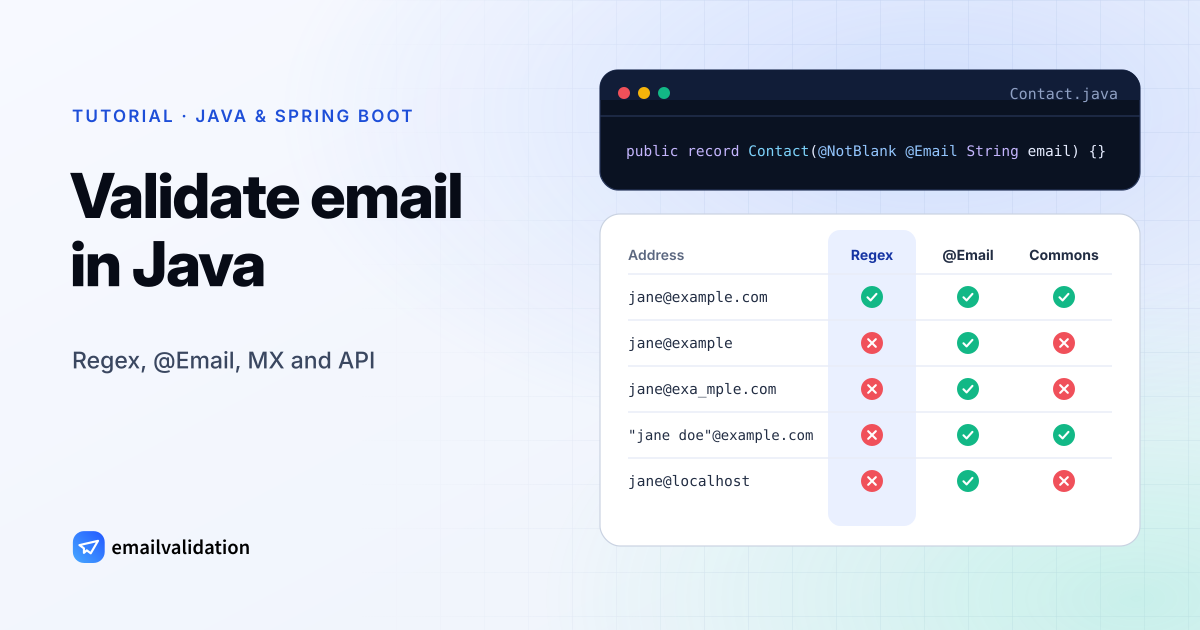
Java email validation has no single built-in answer: Jakarta Bean Validation’s @Email leaves the rules to the provider, Apache Commons Validator has its own EmailValidator, Jakarta Mail parses addresses with InternetAddress, and none of them knows whether a mailbox exists. This guide compares them on the same test addresses, adds a regex that rejects what they miss, and finishes with an MX lookup and a mailbox check in Spring Boot. All code was tested on Java 21 and Java 25, the two current long-term support releases.
1. Java email validation with a regex
This is the tested pattern from our email regex guide:
import java.util.regex.Pattern;

public final class EmailFormat {
    public static final String REGEX =
        "(?=.{1,254}\\z)(?=.{1,64}@)"
        + "[A-Za-z0-9!#$%&'*+/=?^_`{|}~-]+(?:\\.[A-Za-z0-9!#$%&'*+/=?^_`{|}~-]+)*"
        + "@(?:[A-Za-z0-9](?:[A-Za-z0-9-]{0,61}[A-Za-z0-9])?\\.)+"
        + "(?:[A-Za-z]{2,63}|xn--[A-Za-z0-9-]{2,59})";

    private static final Pattern PATTERN = Pattern.compile(REGEX);

    public static boolean isValid(String value) {
        return value != null && PATTERN.matcher(value).matches();
    }
}
matches() requires the whole string to match, so the pattern needs no ^ and $. It enforces the length limits (64 characters before the @, 254 in total), allows plus tags and apostrophes, and rejects edge dots, double dots and domains without a top-level domain; the rules are explained in the guide to the email address format. REGEX is a compile-time constant on purpose: section 5 reuses it inside an annotation.
Before matching, strip() the input, and convert internationalized domains to punycode: java returns xn--bcher-kva.example.com, which the pattern accepts.
2. Java email address validator libraries
Jakarta Bean Validation @Email
The @Email constraint says only that the string “has to be a well-formed email address” and that the “exact semantics of what makes up a valid email address are left to Jakarta Validation providers”. null counts as valid. In practice the provider is Hibernate Validator, which Spring Boot pulls in with spring-boot-starter-validation:
public record Contact(@NotBlank @Email String email) {}
Hibernate Validator’s implementation splits at the last @, checks the local part (at most 64 characters, quoted strings allowed) and checks the domain as a host name or IP address. It doesn’t require a dot in the domain, and an empty string passes, which is why @NotBlank belongs next to it.
The Hibernate Validator reference documents the fix: the optional regexp (and flags) parameters add a regular expression the value must also match. Section 5 uses that with the pattern above.
Apache Commons Validator
EmailValidator from commons-validator: (1.11.0, the current release in October 2026) is a standalone check:
import org.apache.commons.validator.routines.EmailValidator;

boolean ok = EmailValidator.getInstance().isValid(email);
Its own documentation says it “is not guaranteed to catch all possible errors in an email address”. What the source shows: it rejects any address ending in a dot, accepts quoted local parts and bracketed IP addresses, and validates the top-level domain against a list of IANA top-level domains compiled into the library. So jane@example is rejected, and a top-level domain added after your library version would be too. getInstance(true) (allow local addresses) accepted jane@example and jane@localhost in our test. Unlike @Email, it treats null as invalid.
Jakarta Mail InternetAddress
If your project already sends mail with Jakarta Mail (jakarta.mail:, 2.1.5 in our test), InternetAddress can parse an address. Like .NET’s MailAddress, it parses the address header syntax, so it also takes Jane Doe <jane@example.com>. Its API documentation says the syntax check “checks many, but not all, syntax rules” of RFC 822:
import jakarta.mail.internet.AddressException;
import jakarta.mail.internet.InternetAddress;

public final class MailAddressCheck {
    public static boolean isValid(String input) {
        if (input == null) {
            return false;
        }
        try {
            // strict = true runs the same syntax checks as validate()
            InternetAddress address = new InternetAddress(input, true);
            // "Jane Doe <jane@example.com>" and " jane@example.com " parse too: compare with the input
            return address.getAddress().equals(input);
        } catch (AddressException e) {
            return false;
        }
    }
}
Use the two-argument constructor: the one-argument new InternetAddress(input) skips the detailed checks and accepted a bare jane in our test. Even in strict mode it accepted jane@example, jane@-example.com and a local part of 65 characters.
What each check accepts
Every address below went through the regex, @Email (Hibernate Validator 9.1.5.Final), Commons EmailValidator 1.11.0 with default settings and the InternetAddress check above. ✓ means accepted, ✗ rejected.
| Address | Should pass? | Regex | @Email | Commons EmailValidator | InternetAddress |
|---|---|---|---|---|---|
jane@example.com | Yes | ✓ | ✓ | ✓ | ✓ |
jane.doe+news@ | Yes | ✓ | ✓ | ✓ | ✓ |
o'brien@ | Yes | ✓ | ✓ | ✓ | ✓ |
jane@example | No | ✗ | ✓ | ✗ | ✓ |
jane@example.c | No | ✗ | ✓ | ✗ | ✓ |
jane | No | ✗ | ✗ | ✗ | ✗ |
.jane@ | No | ✗ | ✗ | ✗ | ✗ |
jane..doe@ | No | ✗ | ✗ | ✗ | ✗ |
jane@ | No | ✗ | ✗ | ✗ | ✗ |
jane@-example.com | No | ✗ | ✗ | ✗ | ✓ |
jane@ | No | ✗ | ✓ | ✗ | ✗ |
jane doe@example.com | No | ✗ | ✗ | ✗ | ✗ |
"jane doe"@example.com | No (RFC-valid) | ✗ | ✓ | ✓ | ✓ |
jane@[192 | No (RFC-valid) | ✗ | ✓ | ✓ | ✓ |
josé@example.com | No (needs SMTPUTF8) | ✗ | ✓ | ✓ | ✓ |
jane@ | After IDN conversion | ✗ | ✓ | ✓ | ✓ |
jane@ | Yes | ✓ | ✓ | ✓ | ✓ |
Jane Doe <jane@example.com> | No (display name) | ✗ | ✗ | ✗ | ✗ |
jane@example.com with spaces around it | After trimming | ✗ | ✗ | ✗ | ✗ |
jane@example.com + line break | No | ✗ | ✗ | ✗ | ✗ |
aaa…a@ (65 a’s) | No | ✗ | ✗ | ✗ | ✓ |
jane@localhost | No | ✗ | ✓ | ✗ | ✓ |
@Email and InternetAddress are the loosest on domains, Commons Validator is the strictest, and only the regex rejects every row marked “No”. The request record in section 5 (@Email plus the regex, after strip()) accepted the “Yes” rows plus the two rows with spaces or a trailing line break, which it stores without them; it rejected everything else.
3. MX lookup with JNDI
The JDK can query DNS without extra libraries through its JNDI DNS provider. With the provider URL dns:, it uses the servers configured on the machine (on Linux, from /etc/resolv.conf):
import java.util.Hashtable;
import javax.naming.Context;
import javax.naming.NameNotFoundException;
import javax.naming.NamingException;
import javax.naming.directory.Attribute;
import javax.naming.directory.DirContext;
import javax.naming.directory.InitialDirContext;

public final class MailDomain {

    /** True if the domain has MX records (not a null MX) or, without MX, an A/AAAA record. */
    public static boolean acceptsMail(String domain) throws NamingException {
        Hashtable<String, String> env = new Hashtable<>();
        env.put(Context.INITIAL_CONTEXT_FACTORY, "com.sun.jndi.dns.DnsContextFactory");
        env.put(Context.PROVIDER_URL, "dns:"); // the system's DNS servers
        env.put("com.sun.jndi.dns.timeout.initial", "2000");
        env.put("com.sun.jndi.dns.timeout.retries", "1");

        DirContext dns = new InitialDirContext(env);
        try {
            Attribute mx = dns.getAttributes(domain, new String[] {"MX"}).get("MX");
            if (mx != null) {
                // A null MX ("0 .", RFC 7505) means the domain accepts no email.
                return !(mx.size() == 1 && "0 .".equals(mx.get(0).toString().trim()));
            }
            // No MX record: mail goes to the A/AAAA record (implicit MX).
            // One type per call: several IDs make the JDK send a single ANY query.
            return dns.getAttributes(domain, new String[] {"A"}).size() > 0
                    || dns.getAttributes(domain, new String[] {"AAAA"}).size() > 0;
        } catch (NameNotFoundException e) {
            return false; // NXDOMAIN: the domain doesn't exist
        } finally {
            dns.close();
        }
    }
}
Points that matter in production:
- Timeouts. Without the two properties, the provider starts at 1,000 ms and retries 4 times with a doubling timeout (jdk
.naming.dns ). That is too slow inside a form request. OtherNamingExceptions (timeouts, SERVFAIL) are thrown to the caller: treat them as “unknown”, not as a bad address. - Null MX. A domain that receives no email publishes one MX record with preference 0 and the host
.(RFC 7505). JNDI returns it as the string0 .;example.comis such a domain. - No MX. RFC 7505 notes that senders then deliver “to the hosts at the addresses in the domain’s A or AAAA records”, so the code checks those before saying no.
- One record type per call. Our first version asked for
{"A", "AAAA"}in one call. The JDK then sent a single DNS query of type ANY, which our test server answered with nothing, and real DNS servers may answer ANY with only part of the records. Two separate calls fixed it.
Against a local test DNS server, the final version returned true for a domain with MX records, false for a null MX, true for a domain with only an A or only an AAAA record and false for a non-existent domain; a SERVFAIL answer threw javax. Background in the MX record guide; to check a domain by hand, use the MX lookup tool.
4. Check that the mailbox exists
The MX lookup proves the domain takes email, not that anna@example.org exists. That needs a conversation with the receiving mail server, which is hard to run from an application host (port 25 is often blocked, catch-all domains accept everything). The email validation API does it in one GET request. This client uses the JDK’s HttpClient and Jackson 3 (tools, the default JSON library of Spring Boot 4) for the JSON:
import com.fasterxml.jackson.annotation.JsonIgnoreProperties;
import com.fasterxml.jackson.annotation.JsonProperty;

@JsonIgnoreProperties(ignoreUnknown = true)
public record EmailResult(
        String email,
        @JsonProperty("format_valid") boolean formatValid,
        @JsonProperty("mx_found") boolean mxFound,
        @JsonProperty("smtp_check") boolean smtpCheck,
        boolean disposable,
        boolean role,
        boolean free,
        double score,
        String state,
        String reason,
        @JsonProperty("did_you_mean") String didYouMean,
        String status,
        @JsonProperty("sub_status") String subStatus,
        @JsonProperty("recommended_action") String recommendedAction) {
}
import java.io.IOException;
import java.net.URI;
import java.net.URLEncoder;
import java.net.http.HttpClient;
import java.net.http.HttpRequest;
import java.net.http.HttpResponse;
import java.nio.charset.StandardCharsets;
import java.time.Duration;
import tools.jackson.core.JacksonException;
import tools.jackson.databind.json.JsonMapper;

public final class EmailValidationClient {
    private static final String API_KEY = System.getenv("EMAILVALIDATION_KEY");
    private static final HttpClient HTTP = HttpClient.newBuilder()
            .connectTimeout(Duration.ofSeconds(5))
            .build();
    private static final JsonMapper JSON = JsonMapper.builder().build();

    public static EmailResult validate(String email) throws IOException, InterruptedException {
        if (API_KEY == null || API_KEY.isBlank()) {
            throw new IOException("EMAILVALIDATION_KEY is not set");
        }
        // timeout=7: the API waits up to 7 seconds for the mail server, then answers "unknown"
        URI uri = URI.create("https://api.emailvalidation.io/v1/info?timeout=7&email="
                + URLEncoder.encode(email, StandardCharsets.UTF_8));
        HttpRequest request = HttpRequest.newBuilder(uri)
                .header("apikey", API_KEY)
                .timeout(Duration.ofSeconds(10))
                .GET()
                .build();

        HttpResponse<String> response = HTTP.send(request, HttpResponse.BodyHandlers.ofString());
        if (response.statusCode() != 200) {
            throw new IOException("Email validation API returned HTTP " + response.statusCode());
        }
        try {
            return JSON.readValue(response.body(), EmailResult.class);
        } catch (JacksonException e) { // unchecked in Jackson 3
            throw new IOException("Unexpected answer from the email validation API", e);
        }
    }
}
On Jackson 2 (Spring Boot 3 or no Spring at all), change the two Jackson imports to com and com; the rest compiles and runs unchanged. The annotations on the record come from com in both versions.
The key comes from the EMAILVALIDATION_KEY environment variable; keep it out of source control and out of any front-end code. URLEncoder.encode turns the + in jane+news@example.com into %2B, so the tag survives. The API’s timeout parameter (3 to 60 seconds, default 30) caps how long it waits for a slow mail server; the 10-second request timeout and 5-second connect timeout cap how long a sign-up waits for the API.
The client turns an unset variable and every answer other than 200 into an IOException: 401 for a wrong key, and 429 when the monthly quota is used up, when the free plan’s 10 requests a minute are exceeded, or when more checks run at the same time than the plan allows (5 on the free plan, 25 on paid plans). The Retry-After header of a 429 says when to try again.
How to act on the result:
status() | state / reason | What to do at sign-up |
|---|---|---|
valid | deliverable / valid_mailbox, or low_quality for a role address | Accept. |
catch_all | deliverable / low_ | Every address on the domain is accepted, so the mailbox can’t be confirmed. Accept, or flag for review. |
risky | deliverable / low_ | The mailbox is full. Accept; mail bounces until its owner frees up space. |
do_not_mail | deliverable / low_ | A disposable address. Ask for a permanent one. |
invalid | undeliverable / invalid_mailbox, invalid_mx or invalid_format | Reject and ask the user to correct the address. |
unknown | unknown / timeout, no_connect, unavailable_smtp or unexpected_error | No clear answer from the mail server. Accept. |
subStatus() says why (for example mailbox_not_found or accept_all; null for a plain valid result), and recommendedAction() sums the result up as send, send_with_caution, suppress or retry_later; the result statuses in the Documentation list every value. Offer didYouMean() when it isn’t empty (it suggests gmail.com for gmial.com). Why catch-all domains can’t be verified per mailbox is explained in catch-all email.
The free plan includes 100 checks a month at up to 10 requests a minute; only definitive results (deliverable or undeliverable) count against the quota. Paid plans have no per-minute limit.
5. Spring Boot @Valid with an API check
Spring validates a @RequestBody annotated with @Valid before your method runs; by default a failure raises Method, which Spring turns into a 400 response. Spring Boot needs spring-boot-starter-validation on the classpath for this, which provides Hibernate Validator.
The request record combines @Email with the regex and strips whitespace in its compact constructor, which Jackson calls before validation:
import jakarta.validation.constraints.Email;
import jakarta.validation.constraints.NotBlank;

public record SignupRequest(
        @NotBlank
        @Email(regexp = EmailFormat.REGEX, message = "Please enter a valid email address.")
        String email) {

    public SignupRequest {
        email = email == null ? null : email.strip(); // people paste addresses with spaces
    }
}
The controller then asks the API and fails open when it can’t get an answer:
import jakarta.validation.Valid;
import java.io.IOException;
import java.util.Map;
import org.slf4j.Logger;
import org.slf4j.LoggerFactory;
import org.springframework.http.ResponseEntity;
import org.springframework.web.bind.annotation.PostMapping;
import org.springframework.web.bind.annotation.RequestBody;
import org.springframework.web.bind.annotation.RestController;

@RestController
public class SignupController {
    private static final Logger log = LoggerFactory.getLogger(SignupController.class);

    @PostMapping("/signup")
    public ResponseEntity<?> signup(@Valid @RequestBody SignupRequest request) {
        try {
            EmailResult result = EmailValidationClient.validate(request.email());
            if ("invalid".equals(result.status())) {
                return ResponseEntity.badRequest()
                        .body(Map.of("email", "This email address doesn't exist. Please check it."));
            }
            if ("do_not_mail".equals(result.status())) {
                return ResponseEntity.badRequest()
                        .body(Map.of("email", "Please use a permanent email address."));
            }
        } catch (IOException e) {
            // API unreachable, slow, out of quota or key not set: accept the address, don't block the sign-up
            log.warn("Email check skipped", e);
        } catch (InterruptedException e) {
            Thread.currentThread().interrupt();
        }
        // create the account ...
        return ResponseEntity.ok().build();
    }
}
What we ran: JSON bodies deserialized into the record with Jackson 3 and validated with Hibernate Validator 9.1.5, then the controller method against a local mock of the API. jane@example failed validation with “Please enter a valid email address.”; an address the API reported as invalid or do_not_mail got a 400 with the matching message; normal, catch-all and privacy relay addresses got 200; and when the mock answered 429 or the key was not set, the sign-up went through with a logged warning. An empty string failed with both the @NotBlank and the format message. The controller decides on status() rather than on disposable(): privacy relay addresses such as Apple’s Hide My Email are on some disposable lists, but they forward to the owner’s real inbox, and the API returns them as valid (relay_address) even when disposable is true. The Spring wiring itself (@RestController, @PostMapping, @Valid) was compile-checked, not run in a full Spring Boot application.
Recommended setup
- In the browser,
type="email"for instant feedback; the server still decides. - On the server, strip the input and validate it with
@NotBlankand@Email(regexp = …). - On submit, the API check: block
invalidanddo_not_mailresults, accept everything else, and accept when the API is unreachable. - For an existing database, check the whole list at once with the bulk email verifier rather than one request per row.
Want to see a result before writing code? Paste an address into the free email validator. The same steps in other languages: C# email validation and email validation in Go.
Sources
Checked October 29, 2026: @Email (Jakarta Validation 3.1.1 source); Hibernate Validator reference guide and AbstractEmailValidator (9.1.5.Final); Apache Commons Validator EmailValidator and its 1.11.0 source; Jakarta Mail 2.1 InternetAddress; JNDI DNS service provider and jdk/v1/info, timeout, status fields). Code compiled and run on Eclipse Temurin 21.0.13 and 25.0.5 with Hibernate Validator 9.1.5.Final, Commons Validator 1.11.0, Jakarta Mail API 2.1.5, Jackson 3.1.7 (the client also with Jackson 2.21.7) and, for compiling the controller, Spring Framework 7.0.10 (the versions Spring Boot 4.1.2 manages), against a local DNS server and a local mock of the API.