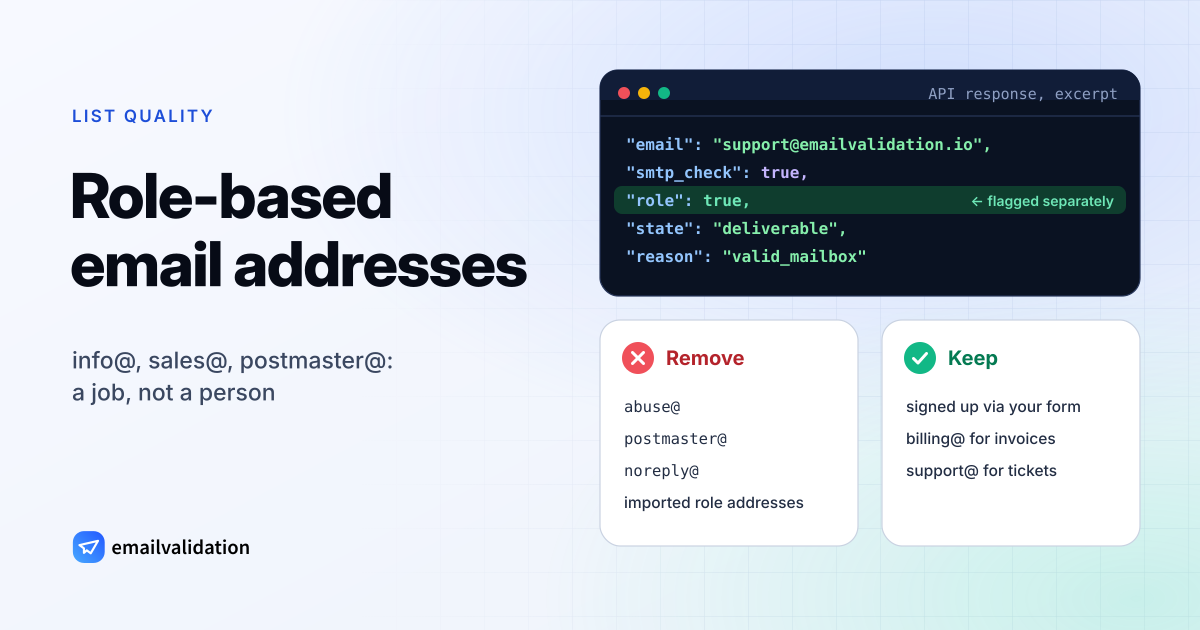
A role based email address is named after a job, not a person: info@, sales@, support@, billing@, postmaster@. Whoever holds the job reads it, often several people at once, and the reader changes when the staff changes. That’s useful for contacting a company and a problem for marketing lists, which is why Mailchimp, Constant Contact, GetResponse and MailerLite all restrict role addresses in some way.
What counts as role-based
Some role addresses are written into Internet standards. RFC 2142 (May 1997) lists mailbox names for common services and says organizations are “encouraged to support AT LEAST each mailbox name for which the associated function exists”:
| Mailbox | Function in RFC 2142 |
|---|---|
info@ | Packaged information about the organization, products and/or services |
marketing@ | Product marketing and marketing communications |
sales@ | Product purchase information |
support@ | Problems with product or service |
abuse@ | Inappropriate public behavior |
noc@ | Network infrastructure |
security@ | Security bulletins or queries |
postmaster@ | Email (SMTP) |
hostmaster@ | DNS |
webmaster@, www@ | The web server (HTTP) |
postmaster is the one every mail server has to know: RFC 5321 says the reserved mailbox name may be used without a domain and “MUST be accepted if so used”.
Beyond the standard names, any address that stands for a function is role-based in practice: admin@, billing@, office@, hr@, jobs@, team@, noreply@. Mailchimp’s import filter alone lists 35 prefixes, from abuse@ and admin@ to no-reply@, noreply@, support@ and webmaster@ (Mailchimp).
Technically, a role address can be a normal mailbox several people log in to, an alias that forwards to one or more people, a distribution list or the intake of a ticket system. Constant Contact puts it this way: a role address, “sometimes called a distribution list, group address, shared address, or alias address”, is an address “designed for distribution to a group of people” (Constant Contact). From the outside you can’t tell which one it is. Validators that document their method, such as SendGrid and Mailgun, look at the local part, the text before the @, and match it against role names. A check like that flags sales@ but not jane.sales@.
Why role-based email addresses hurt deliverability
Nobody in particular gave permission. A marketing list depends on consent, and a shared inbox can’t give it on behalf of everyone who reads it. Constant Contact says role addresses “can lead to higher complaint and opt-out rates” because “it’s hard to ensure that all of the recipients gave permission to receive your email”. GetResponse goes further: for a group inbox, “mailing permission will never be valid, as it must be provided by each recipient individually” (GetResponse).
Complaints come from people who never signed up. One person subscribes marketing@, five colleagues receive the newsletter, and the one who didn’t expect it clicks “Report spam”. Mailchimp blocks role-based addresses at import because they “are associated with high bounce rates and spam complaints”.
Some of them are spam traps. Addresses published in domain registration records are harvested and mailed. Spamhaus calls these registration or role account addresses “a special type of live trap” and says they “should almost NEVER be on a marketing mailing list”, naming postmaster@, abuse@ and admin@ as examples (Spamhaus, February 15, 2022). The spam traps guide explains how hitting one affects your sender reputation.
The address outlives its readers. An alias is pointed at a new person, a group is closed, or a forwarding rule breaks. Mail that bounces adds to your email bounce rate, and mail that lands in an inbox nobody reads counts as no engagement.
How email platforms handle role addresses
| Platform | What happens to role addresses (checked October 2026) |
|---|---|
| Mailchimp | Blocks them during import. Role addresses can still join through a signup form, or be added one at a time with the subscriber’s express permission. They can’t be used to sign up for a Mailchimp account. |
| Constant Contact | Blocks a set of role addresses that “consistently produce high spam complaints”, among them postmaster@, noreply@, sales@ and marketing@, and won’t send to them even if they are on your list. Others, like info@ and support@, can be mailed. |
| GetResponse | Doesn’t accept role addresses: they “will be excluded from your import”. |
| MailerLite | Addresses on its banned list, such as admin@, support@ and billing@, fail to import; a legitimate one can be added as a single subscriber. |
| HubSpot | Says some role-based addresses, such as sales@, may trigger the send error “The email address in the ’to’ field failed validation” (article updated October 5, 2026). |
| Twilio SendGrid | Its email validation flags suspected role addresses; its example says a role address like admin@ “will come back with a “Risky” result and a score of 50%”. |
Links to each page are in the sources at the end. The lists of blocked names differ from platform to platform, and GetResponse notes that its list is subject to change.
Do role-based emails bounce more in cold email?
Not because of the name. A support@ or sales@ address on a domain with working mail servers often exists, and postmaster@ has to. We know of no public data on bounce rates by local part that we could check, so we don’t quote a number.
The cold-email risks are the ones above, in a sharper form. The address didn’t come from the recipient but from a website or a domain record, and the role addresses published in domain registration records are the ones Spamhaus calls traps. The inbox is read by people who never asked for your message, and any of them can report it as spam. If a company only publishes info@, ask there for the right person by name; the guide to email deliverability covers the rest of a cold-email setup.
Keep or remove role-based emails?
Decide by how the address got onto your list and what you send to it.
| Situation | What to do |
|---|---|
Technical and complaint addresses: abuse@, postmaster@, hostmaster@, noc@, security@, webmaster@ | Remove from every marketing list. These are the addresses Spamhaus warns about. |
noreply@, no-reply@ | Remove. By its name nobody reads it. |
| Imported, bought or scraped role addresses | Remove. Nobody at the address gave consent. |
| A role address that signed up itself through your form, ideally with a confirmation click | Keep, and watch engagement. For a small business, info@ can be the owner’s only address. |
Transactional mail: invoices to billing@, orders to orders@, tickets to support@ | Keep. That is what these addresses are for. |
| B2B customers who only gave a general address | Keep in a separate segment, send less often, and remove when there is no engagement. |
Suppress removed addresses rather than deleting them, so the next import doesn’t bring them back. And treat the flag as one signal among several: a role address that bounces is a hard bounce like any other (see hard vs. soft bounces), and a role address on a catch-all domain can’t be confirmed at all, as the catch-all email guide explains.
Detecting role-based addresses with the API
Every check by the email validation API includes the field role, a boolean that is true for a role address such as support@ or postmaster@. Role detection is one of the checks every address gets, next to the syntax check, the DNS and MX lookup, the disposable and free-provider flags and, where the domain has a mail server, the SMTP mailbox check that never sends an email.
curl -G https://api.emailvalidation.io/v1/info \
  --data-urlencode "email=support@emailvalidation.io" \
  -H "apikey: $EMAILVALIDATION_KEY"
An excerpt of the documented response for that address (the full response, all 21 fields, is in the API box below):
{
  "email": "support@emailvalidation.io",
  "smtp_check": true,
  "role": true,
  "score": 0.64,
  "state": "deliverable",
  "reason": "low_quality",
  "status": "valid",
  "sub_status": "role_based",
  "recommended_action": "send_with_caution"
}
The example shows how the flag works: the mailbox exists (smtp_check is true, the state is deliverable), and because it is a role address the reason is low_quality rather than valid_mailbox, with role set to true. status stays valid, sub_status is role_based and recommended_action is send_with_caution instead of send. On a catch-all domain the catch-all result wins: info@ there gets the status catch_all, and role is still true. So filter on role, not on sub_status, to find every role address. The API tells you what the address is; whether it belongs in a campaign is your decision.
For a whole list, the bulk endpoint returns 19 of those fields per address. In JSON results, each row of data carries role, so one line of jq lists the role addresses:
jq -r '.data[] | select(.role == true) | .email' results.json
CSV results keep your original columns and add one emailvalidation_* column per field, so a spreadsheet filter on the role column does the same. How email verification works explains the other checks and states.
Detect them in your list: the bulk email verifier shows the role flag for every address it checks (up to 50 per run; without an account it checks a few addresses an hour). Check a single address with the email checker, or send a whole list to our email list cleaning service.
Sources
All pages checked October 29, 2026.
- RFC 2142: Mailbox Names for Common Services, Roles and Functions, May 1997
- RFC 5321: Simple Mail Transfer Protocol, section 2.3.5, October 2008
- Mailchimp: Limits on role-based addresses
- Constant Contact: About role addresses, group addresses and aliases, updated October 3, 2025
- GetResponse: Can I add role email addresses to my list of contacts?
- MailerLite: What is a role-based email address?, edited January 17, 2023
- HubSpot: Email error “There was an issue sending an email to this contact”, updated October 5, 2026
- Twilio SendGrid: Real Time Email Address Validation Overview
- Mailgun: Single Validation
- Spamhaus: Spamtraps, fix the problem not the symptom, February 15, 2022