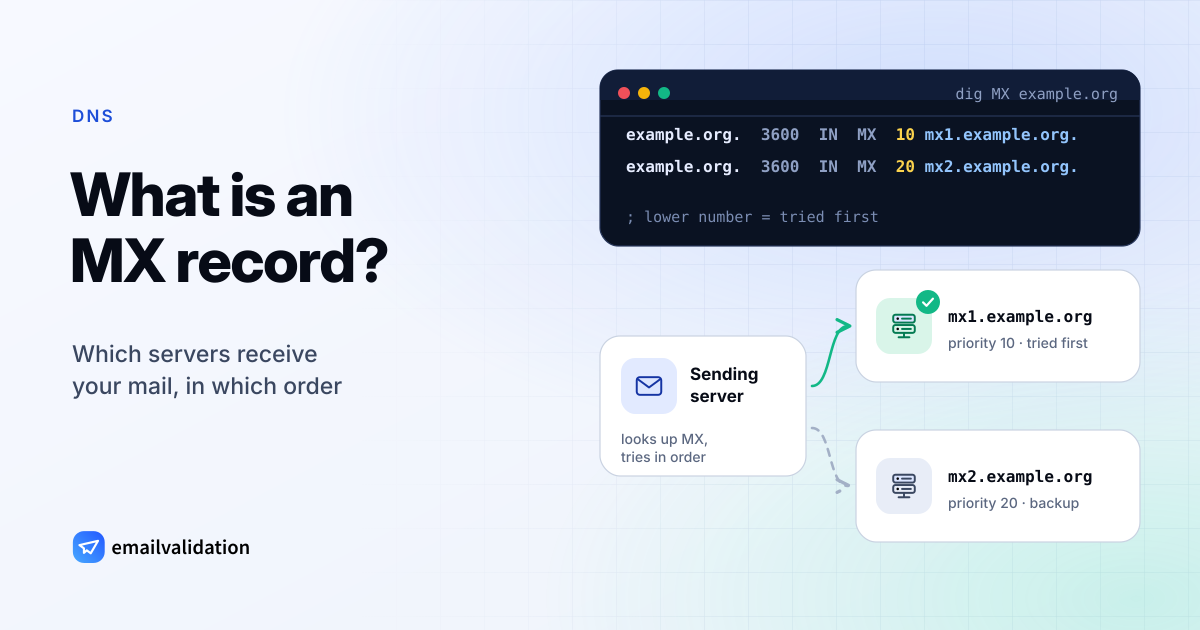
An MX record (mail exchange record) is the DNS entry that names the servers accepting email for a domain. When someone sends a message to jane@example.org, their mail server looks up the MX records of example.org, picks the server with the lowest preference number and delivers the message there. Without a working MX record, a domain can’t reliably receive email.
example.org.  3600  IN  MX  10 mx1.example.org.
example.org.  3600  IN  MX  20 mx2.example.org.
What an MX record is
The format goes back to RFC 1035, section 3.3.9, which defines two fields:
- PREFERENCE: a 16-bit number (0 to 65535) that ranks this record among the domain’s other MX records.
- EXCHANGE: the domain name of a host willing to act as a mail exchange for the domain.
In a DNS zone, each MX record has the usual columns: the domain it belongs to, the time to live (TTL) in seconds, the class IN, the type MX, and then preference and host. The host needs its own address record:
example.org.       3600  IN  MX    10 mx1.example.org.
mx1.example.org.   3600  IN  A     192.0.2.10
mx1.example.org.   3600  IN  AAAA  2001:db8::10
The MX record only covers receiving. Which servers may send for the domain is a separate question, answered by the SPF record.
What senders do with it
A sending server takes the domain after the @, asks DNS for its MX records and connects to the hosts in order of preference. If the domain has no MX record at all, SMTP falls back to the domain’s own A or AAAA record and tries to deliver there (RFC 7505, section 1, referring to RFC 5321). That fallback is why a domain with only a website can still receive delivery attempts, and why domains that never take mail should say so with a null MX (below).
Email verification starts with the same lookup: an address on a domain without usable MX records can’t receive mail, which is what the mx_found field and the invalid_mx reason of the email validation API report. Our guide on how to check if an email exists covers the steps that follow.
MX record priority explained
The preference number is relative: lower values are preferred (RFC 1035). A sender tries the host with the lowest number first and moves to the next one when it can’t connect.
| Record | What happens |
|---|---|
MX 10 mx1.example.org. | Tried first. |
MX 20 mx2.example.org. | Tried if mx1 doesn’t answer. |
MX 30 backup | Tried last. |
A few rules of thumb:
- Only the order counts.
10, 20, 30behaves exactly like1, 2, 3.0is a valid value. - Equal numbers mean equal preference. Two records with
10are both first choice, and a sender may use either. - Every listed host must accept mail for the domain. A backup host that refuses your recipients, or an old provider’s server still in the list, causes bounces or lost mail.
MX record examples: Google Workspace, Microsoft 365, Zoho
Values from each provider’s documentation, checked October 9, 2026. Always copy the exact values your admin console shows; they can differ by account or region.
| Provider | MX host | Priority | Source |
|---|---|---|---|
| Google Workspace | smtp.google.com | 1 | Google: Set up MX records |
| Microsoft 365 | <MX token> | lower than any other MX record | Microsoft: External DNS records |
| Zoho Mail | mx.zoho.com, mx2.zoho.com, mx3.zoho.com | 10, 20, 50 | Zoho: Configure email delivery |
As zone records:
; Google Workspace
example.org.  3600  IN  MX  1  smtp.google.com.

; Microsoft 365 (your MX token is shown in the Microsoft 365 admin center)
example.org.  3600  IN  MX  1  example-org.mail.protection.outlook.com.

; Zoho Mail (generic values from Zoho's help page; the domain ending depends on your data center)
example.org.  3600  IN  MX  10 mx.zoho.com.
example.org.  3600  IN  MX  20 mx2.zoho.com.
example.org.  3600  IN  MX  50 mx3.zoho.com.
Notes from the providers:
- Google Workspace: accounts set up before 2023 may still use the older
aspmxvalues, which Google continues to support. Google asks you to delete other MX records and says new records can take up to 72 hours to be recognized. - Microsoft 365: the MX token is tenant-specific (the line above is an illustration); find yours under the domain’s DNS records in the Microsoft 365 admin center. Its preference must be lower than every other MX record so mail reaches Exchange Online.
- Zoho Mail: the domain ending of the MX hosts depends on the data center that holds your account, and Zoho says to use only the values shown in its Admin Console. Delete the MX records of your previous provider: leftovers with an equal or lower number keep receiving mail.
MX hosts for more than 100 other providers are on the email server settings pages, for example Microsoft 365 and Zoho. Web hosts that sell mailboxes on your own domain are there too: the Namecheap Private Email settings include its two MX hosts, and the Hostinger email settings cover IMAP, POP3 and SMTP.
Null MX: domains that receive no email (RFC 7505)
A domain that never receives email should publish a null MX: a single MX record with preference 0 and a lone dot as the host (RFC 7505, section 3).
example.com. IN MX 0 .
It must be the only MX record of the domain. Without it, senders fall back to the domain’s A record and, if nothing answers there, retry “for a long period, typically a week” before the sender hears that the address doesn’t work. With a null MX, delivery fails immediately: RFC 7505 recommends the reply 556 5.1.10 for a recipient domain with a null MX, and 550 5.7.27 when a receiving server rejects mail whose sender domain publishes one.
example.com itself is a live example: its MX lookup returns exactly 0 . (checked October 9, 2026), because the domain is reserved for documentation and accepts no mail. For a domain that also sends no mail, combine the null MX with v=spf1 -all and a DMARC record with p=reject; see what is a DMARC record.
Common MX record mistakes
| Mistake | Why it breaks | Fix |
|---|---|---|
MX points to an IP address, such as MX 10 192.0.2.10 | The target must be a domain name (RFC 1035). Many DNS hosts refuse the entry; others store it as a host name that doesn’t resolve. | Create mail.example.com with an A record and point the MX record there. |
| MX points to a CNAME | RFC 2181 says the target “must not be an alias” (section 10.3). Lookups need extra queries and can fail. | Point the MX record to the canonical host name. |
Missing trailing dot in a zone file: MX 10 mx1.example.org | Names without a final dot are relative, so the zone’s origin is appended: mx1 (RFC 1035, section 5.1). | End host names with a dot. Web DNS forms usually handle this for you. |
| Old provider’s MX records left in place | Some mail still goes to the old servers. | Delete them when you switch provider. |
| No MX record, website on the A record | Senders try to deliver to the web server and retry for days. | Publish the correct MX records, or a null MX. |
| MX host without an A or AAAA record | Senders find no address to connect to. | Add the address record for the host. |
Look up your MX records
Enter a domain to see its MX records in order of priority, their TTL and the email provider behind them:
Live DNS lookup over DNS-over-HTTPS. You can also paste an email address.
The same check runs on the MX lookup page, next to the MX values of popular providers for comparison. On the command line, dig and nslookup show the same data:
dig MX example.com +short
nslookup -type=mx example.com
Seeing the right MX records means mail can reach the domain. Whether a particular mailbox on it exists is a different check: the email checker tests that, live and free.