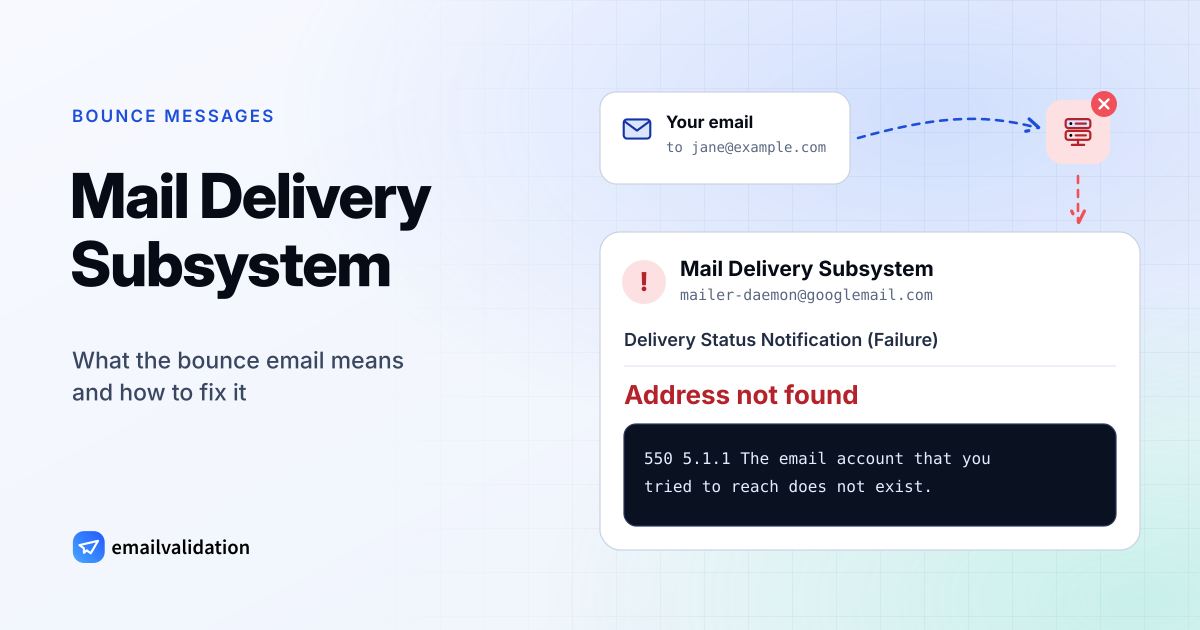
What “Mail Delivery Subsystem” is
Mail Delivery Subsystem is not a person and not a virus. It is the display name of Gmail’s automatic bounce sender, mailer-daemon@googlemail.com, and the name many other mail servers (Sendmail, for example) give their bounces too. When Gmail can’t deliver a message sent from your account, the bounce comes from Gmail itself. When another server accepts a message “from” you and fails to deliver it later, that server writes the bounce, under its own MAILER-DAEMON or postmaster address.
There are two kinds:
- Delivery Status Notification (Failure): Gmail has given up. The message was not delivered and won’t be.
- Delivery Status Notification (Delay): Gmail is still trying. The notice says “Delivery incomplete” and how many more hours Gmail will retry. You’ll get a second notice only if delivery finally fails.
Other mail systems send the same kind of message under other names, such as MAILER-DAEMON, or with the subject “Undeliverable:” at Microsoft; the guide to MAILER-DAEMON compares them.
1From: Mail Delivery Subsystem <mailer-daemon@
2Subject: Delivery Status Notification (Failure)
3Address not found
Your message wasn’t delivered to jane@
The response from the remote server was:
550 5.1.1 The email account that you tried to reach does not exist. …
---------- Original message ----------
From: you@
How to read a bounce
- 1The sender is a mail system, not a person: here Gmail’s own. Bounces written by other servers come from their MAILER-DAEMON or postmaster address. A fake “Gmail” bounce shows the right name with a different address.
- 2The subject says Failure (given up) or Delay (still retrying).
- 3The heading names the problem: address not found, message blocked, message not delivered.
- 4The reply code from the receiving server is the precise reason. Look it up in the SMTP error codes.
- 5Your original message is attached, so you can see exactly what bounced and when.
Four reasons you get one
1. You sent to an address that doesn’t work
The most common case. The address has a typo (jhon@ instead of john@), the person left the company and the mailbox was deleted, or the domain doesn’t exist. Gmail shows Address not found, and the remote server’s reply is usually 550 5.1.1. This is a hard bounce: sending again won’t help.
2. The receiving server refused your message
Gmail shows Message blocked. The address may be fine, but the receiver didn’t accept your mail: your domain fails SPF, DKIM or DMARC, your sending IP or a link in the message is on a blocklist, the message looked like spam, or the recipient’s organization doesn’t take mail from outside. The reply code, often in the 5.7.x range, names the reason; the SMTP error codes list explains each one.
3. Someone sent spam with your address (backscatter)
You didn’t send the original message, and it isn’t in your Sent folder. Spammers put real addresses in the From field of their mail. When one of those messages can’t be delivered, the receiving server sends the bounce to the forged sender: you. This is called backscatter. Your account is not hacked, and Gmail’s spam filter catches most of these bounces.
4. The “bounce” is phishing
Some fake bounces copy the name Mail Delivery Subsystem and say that messages are “pending”, “on hold” or “failed”, with a button to release or retry them. The button leads to a fake login page. Real bounces never ask you to sign in.
You got a “Mail Delivery Subsystem” email
Open your Sent folder and look for the message that bounced.
You sent it
A normal bounce
Read the code: 5.1.x the address doesn’t exist, 5.7.x your mail was blocked, 4.x.x a delay that Gmail keeps retrying.
In Sent, but not from you
Someone uses your account
Change your password, turn on 2-Step Verification and check forwarding rules and connected apps now.
Not in Sent
Your address was forged
A spammer used your address as the sender, and the bounce came back to you (backscatter). Your account is fine.
Asks you to click or log in
Phishing
Real bounces never ask you to sign in, “release” messages or pay. Don’t click; delete it and report it as phishing.
How to read the bounce
Gmail’s heading tells you the kind of problem. The section “The response from the remote server was:” holds the receiving server’s exact reply, and its code is the precise reason.
| Gmail says | What happened | Typical code | What to do |
|---|---|---|---|
| Address not found | The mailbox or the domain doesn’t exist | 550 5.1.1, or a DNS error (NXDOMAIN) for a domain that doesn’t exist | Check the spelling. Remove the address if it’s right. |
| Message blocked | The receiver refused your message | 550 5.7.1, 550 5.7.26 | Check SPF, DKIM and DMARC; read the reply for the reason. |
| Message not delivered | Another permanent problem: the message is too large, a mail loop, a misconfigured server | 552 5.3.4, 554 5.4.6 | Read the technical details. |
| Delivery incomplete (subject: Delay) | A temporary problem: full mailbox, server down, rate limit | 421, 450, 452 4.2.2 | Wait. Gmail retries on its own. |
Below the message you’ll find a technical block with lines such as Status: 5.1.1 and Diagnostic-Code: smtp; 550 5.1.1 …. That is the standard delivery status notification format (RFC 3464), and it is what to send the recipient’s IT team if you ask them for help. The Delivery Status Notification (Failure) guide goes through each heading in detail.
How to stop Mail Delivery Subsystem emails
When they bounce messages you sent
- Address not found: correct the address or remove it from your contacts and mailing lists. For a list, check every address before your next send with the bulk email verifier, so the bounces don’t come back.
- Message blocked: set up authentication for your domain: an SPF record, DKIM signing at your email provider and a DMARC record. Then test a message with the email spam checker.
- Many bounces after a newsletter: your list contains old or invalid addresses. Clean it before the next send; mailbox providers judge senders by how often they hit addresses that don’t exist.
When they bounce messages you never sent
- Check your Sent folder. If the messages are there, someone is using your account: change your password, turn on 2-Step Verification, run Google’s Security Checkup and remove forwarding rules, filters and app access you don’t recognize.
- If they aren’t there, your address was forged. You can’t stop spammers from typing your address, but with your own domain you can make their mail fail: publish SPF and DKIM and a DMARC policy of
p=reject. Receivers that check DMARC then refuse the forged mail during delivery, and fewer bounces come back to you. With an @gmail.com address you can’t change these records yourself; Gmail’s spam filter catches most backscatter. - Don’t reply to the bounces and don’t open attachments in them.
- Filter temporarily if needed. A Gmail filter on
from:(mailer-daemon OR postmaster)can skip the inbox during a wave of backscatter, which comes from other servers’ bounce addresses. It also hides real bounces, so delete the filter once the wave is over. Waves usually end within days, when the spam run stops.
Is it a scam? Red flags
A real bounce comes from a mail system’s own address (Gmail’s own bounces from mailer-daemon@googlemail.com, other servers’ from their MAILER-DAEMON or postmaster address), quotes the receiving server’s reply with a status code, and includes or quotes your original message. Be suspicious when a “bounce”:
- claims to be from Gmail but comes from another address;
- asks you to sign in, verify your account, “release” or “recover” messages, or pay;
- has a button or link to a site that isn’t Google’s;
- has an attachment you are asked to open, such as an .html, .zip or .pdf file;
- is about messages you don’t remember, with no technical details at all.
Don’t click anything in such a message. In Gmail, open the three-dot menu and choose Report phishing.
To check for phishing signals in the sender address, such as look-alike domains, paste it into the scam email checker. To analyze the bounce headers, copy them from Show original into the email header analyzer: it shows which server really sent the message and whether it passed SPF, DKIM and DMARC.
When bounces mean your list needs work
If you send newsletters, invoices or product email, bounces are a signal mailbox providers watch. A hard bounce rate above about 2% is a common warning threshold, and email services suspend senders who regularly go far beyond it. Verify addresses when they are entered, in your sign-up form, and check older lists before a campaign; the guide to the email bounce rate has the details. Bounces are one part of email deliverability, next to authentication, sender reputation and the rules of the big mailbox providers.