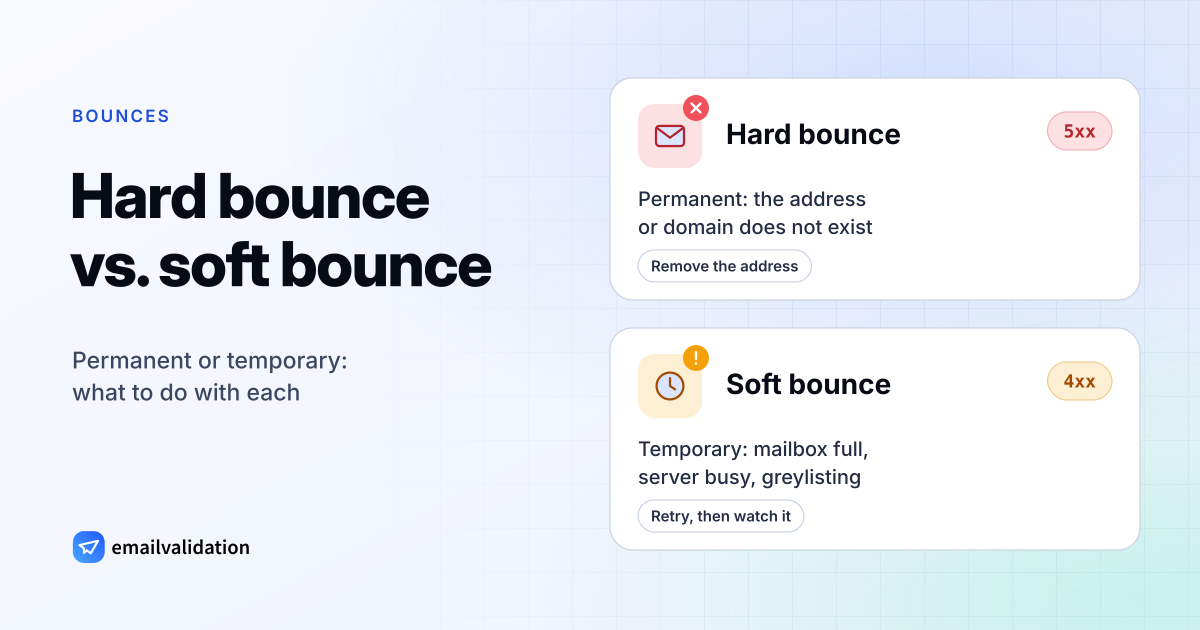
The difference in one table
| Row label | Hard bounce | Soft bounce |
|---|---|---|
| What happened | The address can’t receive mail | Delivery failed for now |
| SMTP reply | 5xx, mostly 5.1.x and 5.2.1 | 4xx, such as 421, 450, 452 |
| Retried by your server? | No | Yes, for hours or days |
| Typical causes | Mailbox or domain doesn’t exist, account disabled, invalid address | Mailbox full, server down or overloaded, greylisting, rate limits |
| What to do | Remove the address at once | Keep it; remove it after repeated soft bounces |
| Could verification catch it? | Yes, before you send | No, it’s temporary |
There is a third kind that lists often lump in with the others: the block. The receiving server refused your message permanently (usually a 5.7.x code), but the address is fine. The problem is your authentication, reputation or content, so removing the address doesn’t help; fixing the cause does. The email deliverability guide covers those causes.
Hard bounce · 5xx
Fails at once, for good
- 1Message sent to
jhon@example.com - 5xxServer:
550 5.1.1no such mailbox - ✕Bounce arrives within seconds. No retries.
Remove the address. Sending again fails the same way.
Soft bounce · 4xx
Retried, then delivered or expired
- 1Message sent to
jane@example.com - 4xxServer:
452 4.2.2mailbox full - ↻Your server keeps it and retries for hours or days
- ✓Delivered once there is space, or a bounce when the retry period ends
Keep the address, but remove it after repeated soft bounces.
Common hard-bounce codes
| Reply | Meaning |
|---|---|
550 5.1.1 | The mailbox doesn’t exist |
550 5.1.10 | Microsoft 365: recipient not found |
553 5.1.2 | Gmail: the recipient domain doesn’t exist |
553 5.1.3 | Gmail: the address isn’t valid |
550 5.2.1 | Gmail: the account is inactive |
554 … This user doesn't have a yahoo.com account | Yahoo: unknown account |
The exact wording differs by provider. The SMTP error codes reference lists them all, with what each provider’s message says.
Common soft-bounce causes
Soft bounces come from temporary 4xx replies, such as SMTP 421 (service not available) and SMTP 451 (local error in processing). See the full list of SMTP error codes.
- Mailbox full (
452 4.2.2at Gmail). The recipient has to make room; often a sign of an abandoned account. - Server unavailable (
421, connection timeouts). The receiving server is down, overloaded or being maintained. - Greylisting (often
451 4.7.1). Some servers refuse the first attempt from an unknown sender on purpose. Legitimate servers retry and get through. - Rate limiting (
421 4.7.28,450 4.2.1at Gmail). You send too much at once, or the recipient receives too much. Slow down. - Temporary authentication problems (
421 4.7.26/4.7.27/4.7.30at Gmail). Gmail delays mail that fails SPF or DKIM. Fix them before the delays turn into rejections.
Your mail server keeps a soft-bounced message in its queue and tries again later, for a few days at most. If it never gets through, you get a bounce at the end (4.4.7 Message expired at Microsoft 365). That’s why one soft bounce is no reason to delete a contact, but the same address soft bouncing on every send is.
What your email service does with each
Email service providers keep a suppression list and stop sending to addresses on it:
- Hard bounces are suppressed after the first one. Mailchimp, for example, says hard-bounced addresses are “in most cases” cleaned “automatically and immediately”.
- Soft bounces are retried and counted. When an address keeps soft bouncing, the service treats it as a hard bounce. Mailchimp converts after 7 soft bounces for contacts with no subscriber activity and after up to 15 for contacts with previous activity (Mailchimp help, checked October 9, 2026).
- Blocks are usually reported separately. They point at your sending setup, and a spike in blocks is a reason to stop and investigate rather than to clean the list.
If you send from your own application through an API such as Amazon SES, SendGrid or Mailgun, the service suppresses hard bounces for you. You build the rules for repeated soft bounces, and keep your own database in sync, from the bounce notifications it sends you.
How to prevent hard bounces
Hard bounces are the avoidable kind. They come from addresses that were wrong from the start or stopped working since. Email verification asks the receiving server about each mailbox without sending a message, so it finds these addresses before they bounce.
- Verify addresses at sign-up. Check the address while the person is still on the form, so typos like
jane@gmial.comget fixed by the one person who knows the right address. The email validation API does this in one request. - Verify old lists before a campaign. Addresses decay as people change jobs and providers. Run lists that haven’t been mailed for a few months through the bulk email verifier or the email list cleaning service.
- Use double opt-in for newsletters, so only confirmed addresses get on the list.
- Remove hard bounces at once and never import them again from an old export.
- Watch your bounce rate. Below 2% is the common benchmark; the email bounce rate guide shows how to calculate it and what moves it.
What “bounce back” emails mean
When a message you sent bounces, you get an automatic email back from the mail system: “Mail Delivery Subsystem” at Gmail, “Microsoft Outlook” with the subject “Undeliverable:” at Microsoft, “MAILER-DAEMON” at many others. These bounce-back messages contain the reply code that tells you whether it was a hard or a soft bounce. Read how to decode them in Mail Delivery Subsystem, Delivery Status Notification (Failure) and MAILER-DAEMON.