Changelog: what changed and when
| Date | Change |
|---|---|
| December 2023 | Google adds TLS to the sender requirements. |
| February 1, 2024 | Gmail’s requirements for all senders and for bulk senders take effect, enforced gradually. |
| February 2024 | Yahoo starts enforcing its sender requirements, monitoring compliance through the first half of 2024. |
| June 1, 2024 | Gmail deadline for one-click unsubscribe in all commercial and promotional messages. |
| June 2024 | Gmail bulk senders with a user-reported spam rate above 0.3% become ineligible for mitigation. |
| April 2025 | Microsoft announces requirements for high-volume senders to Outlook |
| May 5, 2025 | Outlook.com requirements take effect: non-compliant mail goes to junk and may be rejected with 550 5.7.515. |
| November 2025 | Gmail ramps up enforcement on non-compliant traffic, including temporary and permanent rejections. |
| October 9, 2026 | This page re-checked against Google’s, Yahoo’s and Microsoft’s own pages. None lists a newer change. |
The latest changes at Gmail, Yahoo, Microsoft and Apple, month by month, are in our deliverability news.
Gmail sender requirements at a glance
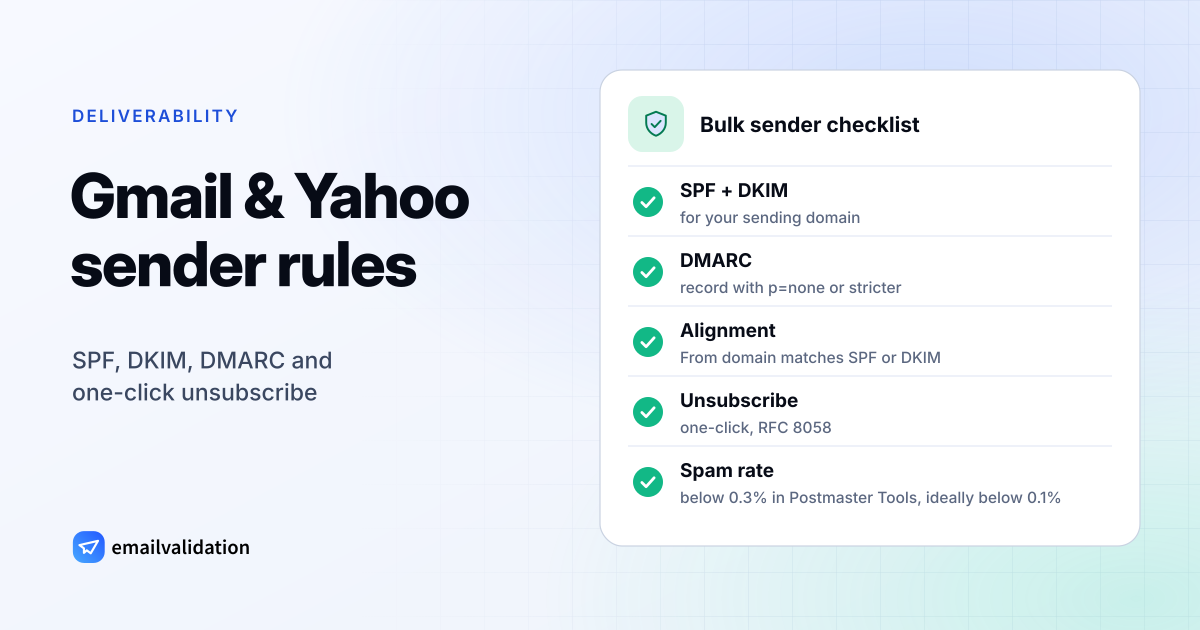
Google’s email sender guidelines split the rules into two levels. Bulk senders have to meet everything in the “All senders” column too.
| Requirement | All senders | Bulk senders (about 5,000+ a day) |
|---|---|---|
| Authentication | SPF or DKIM | SPF and DKIM and DMARC |
| DMARC policy | Not required | A DMARC record; p=none is enough |
| DMARC alignment | Not required | From domain aligned with the SPF or the DKIM domain |
| Forward and reverse DNS | Valid PTR record for each sending IP | Same |
| TLS | Required for the connection | Same |
| Spam rate in Postmaster Tools | Below 0.3% | Below 0.3% |
| Message format | RFC 5322 | Same |
| Gmail addresses in From | Don’t impersonate @gmail.com | Same |
| Unsubscribe | Not required | One-click unsubscribe and a visible link in marketing and subscribed messages; honor requests within 48 hours |
Details that trip people up:
The PTR record has to match. Google: the sending IP “must have a corresponding PTR record that resolves to a hostname”, and that hostname must resolve back to the same IP.
0.3% is the limit, not the goal. Google recommends keeping the spam rate “below 0.10%” and never reaching 0.30%.
One-click unsubscribe means two headers (RFC 8058):
List-Unsubscribe: <https://example.com/unsubscribe/opaque-token>
List-Unsubscribe-Post: List-Unsubscribe=One-Click
The headers don’t replace the link. Marketing messages also need a clearly visible unsubscribe link in the body.
To set up the records, see SPF record, DKIM record and what is a DMARC record, or create a DMARC record with the DMARC record generator.
Who counts as a Gmail bulk sender
Google’s sender guidelines FAQ defines a bulk sender as one that “sends close to 5,000 messages or more to personal Gmail accounts within a 24-hour period”. Three details matter:
- Messages from the same primary domain count together, so
news.example.comandmail.example.comadd up. - “Senders who meet the above criteria at least once are permanently considered bulk senders.”
- The guidelines “don’t apply to messages sent to Google Workspace accounts”. Only personal Gmail recipients count.
Gmail bulk sender requirements: enforcement from 2024 to 2026
The requirements haven’t changed since February 2024; enforcement has. Google’s FAQ says that “starting November 2025, Gmail is ramping up its enforcement on non-compliant traffic”, and that non-compliant messages “will experience disruptions, including temporary and permanent rejections.”
What that looks like in practice:
- Authentication failures: messages “might be marked as spam or rejected with a 5.7.26 error” (what 550 5.7.26 means).
- Temporary failures: Google sends 4.7.x codes for authentication, TLS and PTR problems, which your server retries (421 explained).
- Unsubscribe problems: Gmail doesn’t automatically reject these messages or send them to spam, but bulk senders without working unsubscribe aren’t eligible for mitigation.
Google Postmaster Tools has a compliance status dashboard that shows, for your domain, whether you meet each requirement: SPF and DKIM, DNS records, message formatting, encryption and spam rate for everyone, plus DMARC, one-click unsubscribe and honoring unsubscribes for bulk senders.
Yahoo sender requirements
Yahoo’s Sender Hub lists almost the same rules. Enforcement began in February 2024.
All senders:
- SPF or DKIM at a minimum.
- A spam rate below 0.3%.
- Valid forward and reverse DNS for sending IPs.
- Mail that complies with RFC 5321 and RFC 5322.
Bulk senders, in addition:
- SPF and DKIM, and a DMARC policy of at least
p=nonethat passes. Relaxed alignment is fine; the From domain must align with the SPF or the DKIM domain. - A working List-Unsubscribe header with one-click unsubscribe for marketing and subscribed messages, plus a visible unsubscribe link in the body. Yahoo accepts the
mailto:method and “highly recommends” the RFC 8058 POST method. - Honor unsubscribes within 2 days.
Three differences from Gmail: Yahoo doesn’t publish a number of messages that makes you a bulk sender, its requirements list doesn’t mention TLS, and it calculates the spam rate on mail delivered to the inbox.
Outlook.com requirements for high-volume senders
Microsoft announced rules for high-volume senders in April 2025 on its Tech Community blog. The binding text is in the Outlook.com postmaster policies:
- Who: domains sending more than 5,000 emails a day to Outlook.com accounts.
- Since when: “Effective May 5th, 2025”.
- What: SPF, DKIM and DMARC, all in place. DMARC at least
p=none(Microsoft recommendsp=reject), aligned with SPF or DKIM, ideally both. - Enforcement: non-compliant messages from high-volume senders go to the junk folder. If the problems aren’t fixed, Outlook.com may reject them with:
550; 5.7.515 Access denied, sending domain [SendingDomain] does not meet the required authentication level.
For all senders, the policies require an unsubscribe mechanism that is “clearly documented and easy for recipients to find and use”, say a sender must stop sending to a recipient after multiple non-delivery responses, and point to two free Microsoft services for managing your reputation: the Junk Email Reporting Program (JMRP) and Smart Network Data Services (SNDS).
Gmail, Yahoo and Outlook.com side by side
| Criterion | Gmail | Yahoo | Outlook.com |
|---|---|---|---|
| Bulk threshold | Close to 5,000 a day to personal Gmail | Not published | More than 5,000 a day to Outlook.com |
| SPF and DKIM (bulk) | Both | Both | Both |
| DMARC (bulk) | p=none minimum, aligned | p=none minimum, must pass, aligned | p=none minimum, aligned |
| One-click unsubscribe | Required for bulk marketing mail | Required for bulk marketing mail | Unsubscribe required, one-click not specified |
| Unsubscribe deadline | 48 hours | 2 days | Not specified |
| Spam rate limit | Below 0.3% | Below 0.3% | Not specified |
| TLS | Required | Not listed | Not listed |
| In force since | February 1, 2024 | February 2024 | May 5, 2025 |
Checklist
| Requirement | How to check | Typical fix |
|---|---|---|
| SPF | SPF checker | Add your email service’s include: value with the SPF record generator |
| DKIM with your domain | DKIM checker | Enable domain authentication at your email service |
| DMARC record | DMARC checker | v=DMARC1; p=none; rua=mailto:…, built with the DMARC record generator |
| Reverse DNS | Spam checker | PTR record via your hosting provider |
| One-click unsubscribe | Spam checker | Enable List-Unsubscribe in your email tool |
| Low complaint rate | Google Postmaster Tools, Outlook.com SNDS | Only send to people who opted in |
| Few bounces | Your email service’s bounce report | Verify old lists before you send with an email list cleaning service |
Meeting the requirements gets you accepted; it doesn’t get you into the inbox on its own. The email deliverability guide covers reputation, list quality and content.
Sources
All checked October 9, 2026:
- Google: Email sender guidelines, Email sender guidelines FAQ, Postmaster Tools dashboards
- Yahoo: Sender Hub best practices
- Microsoft: Outlook.com postmaster policies, practices and guidelines, announcement on Microsoft Tech Community
- RFC 8058: signaling one-click functionality for list email headers