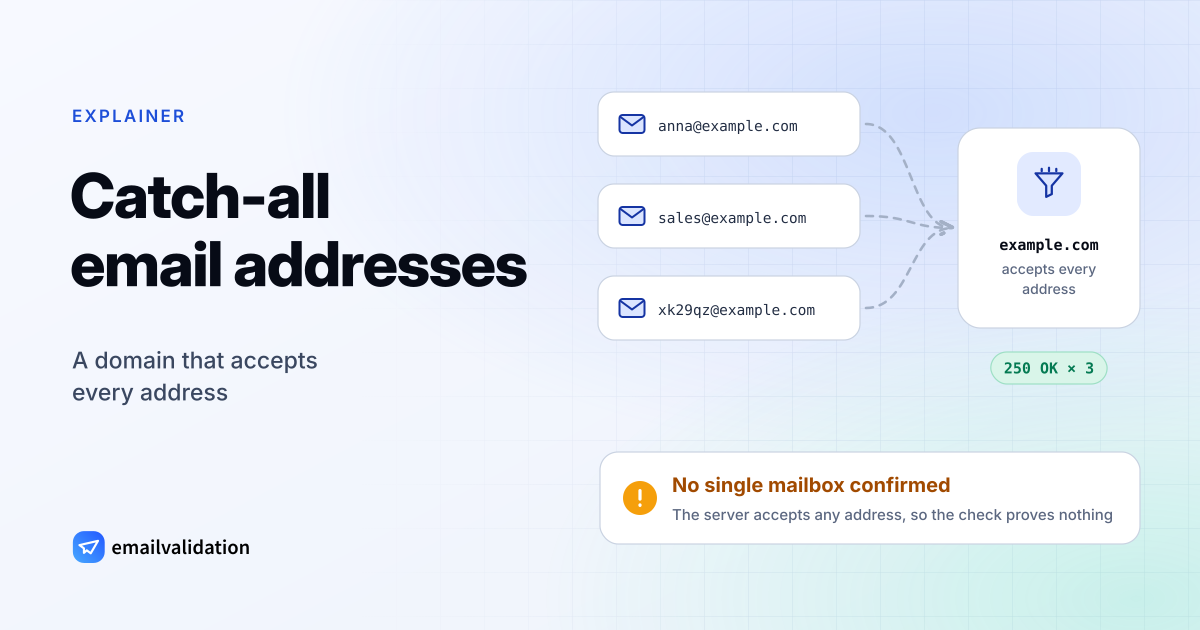
A catch-all email domain accepts mail for any address at that domain: anna@, sales@ and xk29qz@ all get the same 250 OK from its mail server, whether the mailbox exists or not. That’s convenient for the company that runs it, and a problem for everyone who wants to know before sending whether an address is real. This guide explains how catch-all domains work, how verifiers detect them, what the emailvalidation.io API returns for them, and how to handle them in a list.
What is a catch-all domain?
A mail server normally rejects mail for an address it doesn’t know, with a 550 5.1.1 reply during the SMTP conversation. A catch-all server accepts it instead and delivers it to a designated mailbox, the catch-all mailbox, or sorts it out later.
Companies set this up for a few reasons:
- Misspelled names still arrive. Mail to
jon.smith@instead ofjohn.smith@lands in the catch-all mailbox instead of bouncing back to a customer. - Departed employees. Mail to former staff keeps coming in and can be redirected.
- Platform defaults. Some hosting and mail setups accept everything for a domain until someone changes it, and some filtering services in front of a mail server accept all recipients and check them later.
In Google Workspace, for example, an administrator can route “all inactive and unrecognized accounts” to one user or group (Google Workspace Admin Help). From the outside, every such domain looks the same: the server says yes to every recipient.
Catch-all setups are found on company and organization domains. Large consumer providers such as Gmail, Yahoo and Outlook.com check every mailbox and reject unknown addresses, so their addresses can be verified one by one.
Why a catch-all address can’t be verified
Email verification asks the recipient’s mail server whether it would accept a recipient, then disconnects before any message is sent (the steps are in how to check if an email exists). On a normal domain the answer separates real from made-up addresses. On a catch-all domain both get the same answer:
C: MAIL FROM:<check@verifier.example>
S: 250 OK
C: RCPT TO:<anna.berg@company.example>
S: 250 OK                         ← accepted
C: RCPT TO:<x7q2k9zj4w@company.example>
S: 250 OK                         ← also accepted: the domain is catch-all
C: QUIT
The 250 for anna.berg@ proves nothing about Anna. Mail to that address can:
- reach Anna, because the mailbox exists;
- land in a shared catch-all mailbox that someone reads, or nobody reads;
- be accepted now and bounce later, when a server behind the gateway finds no such user. A bounce after acceptance comes back as a separate message and counts against your email bounce rate like any other.
That is why verifiers put these addresses in their own category instead of calling them valid or invalid.
How catch-all detection works
The test is the one in the transcript above: after the real address, the verifier asks about an address that can’t exist, such as a long random string. If the server accepts that too, the domain is catch-all.
Two things can blur the result. Some servers accept every recipient during the conversation and decide later, which looks the same as catch-all. And some servers give no clear answer to any probe (greylisting, timeouts, anti-spam blocks), in which case the result is unknown rather than catch-all. A verifier can’t do better than what the server tells it, and it never sends an email to find out.
What the emailvalidation.io API returns for catch-all addresses
Because no single mailbox on a catch-all domain can be confirmed, the email validation API skips the mailbox check for domains it already knows to be catch-all. On other domains it runs the catch-all test in the same connection as the mailbox check, whenever the server accepts the address. Either way, an address on a catch-all domain comes back like this:
{
  "email": "anna.berg@company.example",
  "state": "deliverable",
  "reason": "low_deliverability",
  "catch_all": true,
  "status": "catch_all",
  "sub_status": "accept_all",
  "explanation": "The domain accepts mail for any address (catch-all), so whether this mailbox exists cannot be confirmed.",
  "recommended_action": "send_with_caution",
  "catch_all_resolution": {
    "method": "signals",
    "verdict": "unresolved",
    "evidence": ["mx_provider:google", "domain_cache"]
  }
}
(The response has 21 fields; the ones that matter here are shown.) What each field means for a catch-all address, according to the API documentation:
| Field | Value | Available on |
|---|---|---|
status / sub_status | catch_all / accept_all | Every plan, with or without the catch_all parameter |
state / reason | deliverable / low_ | Every plan |
recommended_ | send_ | Every plan |
catch_all | true | Only with catch_all=1, on paid plans from Small; null otherwise |
catch_ | verdict: "unresolved" plus domain-level evidence, such as the mail provider | Every plan |
catch_all_resolution is null for any result that isn’t catch-all. Its verdict is unresolved today, because a catch-all mailbox can’t be confirmed without sending to it, which the API never does. reason: low_deliverability also covers disposable addresses and full mailboxes, so branch on status when you need to tell them apart. The free email validator shows these addresses with the label “Catch-all”.
Other verification services report the same finding under other names. ZeroBounce returns the status catch-all, NeverBounce the result catchall, and Kickbox an accept_all flag (according to each vendor’s API documentation, checked October 29, 2026). If you’re moving from one of them, our pages on ZeroBounce alternatives, NeverBounce alternatives and Kickbox alternatives map their codes to ours.
Should you send to catch-all addresses?
Usually yes, carefully. In a B2B list, catch-all addresses are often the decision-makers you want to reach, and deleting them all throws away good contacts. Sending to all of them at full volume risks bounces you couldn’t see coming. The middle way:
- Keep them in their own segment. Don’t mix them into the list of confirmed addresses, so their bounces don’t hide among the rest.
- Send in smaller batches first. Start with your best content to a part of the segment and watch bounces and complaints before you send to the rest.
- Remove what bounces. A hard bounce from a catch-all domain is as final as any other; take the address off the list at once.
- Watch engagement. Remove addresses that never open or click after a few sends; an unread catch-all mailbox will never engage.
- Use the other signals. A personal address (
anna.berg@) on a company domain is more likely to reach someone who reads it than a role-based address such asinfo@. Therolefield tells them apart.
For sign-up forms the decision is simpler: accept catch-all addresses. The person typing the address is right there, and a confirmation email shows within minutes whether it arrives.
Separate catch-all addresses in a verified list
If you verify a list with the email list cleaning service or the bulk API, the results CSV has your columns plus emailvalidation_* columns. This script writes one file per status, so the catch-all addresses end up in their own file:
# split_by_status.py: python split_by_status.py contacts.verified.csv
import csv
import sys
from collections import defaultdict

path = sys.argv[1]
groups = defaultdict(list)
with open(path, newline="", encoding="utf-8") as f:
    reader = csv.DictReader(f)
    for row in reader:
        groups[row["emailvalidation_status"]].append(row)

for status, rows in groups.items():
    out = path.removesuffix(".csv") + f".{status}.csv"
    with open(out, "w", newline="", encoding="utf-8") as f:
        writer = csv.DictWriter(f, fieldnames=reader.fieldnames)
        writer.writeheader()
        writer.writerows(rows)
    print(f"{status}: {len(rows)} -> {out}")
For a results file with seven rows, it wrote contacts.verified.valid.csv, contacts, contacts and contacts, each with the original columns (tested with Python 3.14 on a file in the documented CSV format). Send the valid file, put the catch_all file into its own segment, and drop invalid and do_not_mail. How to upload the list and download the results from Python is shown in the Python email validation guide.
Sources
Checked October 29, 2026: Google Workspace Admin Help: get misaddressed email in a catch-all mailbox; RFC 5321 (SMTP replies); emailvalidation.io API documentation: catch-all detection, result statuses; API documentation of ZeroBounce, NeverBounce and Kickbox.